One password less for everyone on your team: with single sign-on (SSO), your colleagues log in to Planio with an account they already have. Logging in with Microsoft, Google, GitHub, Bitbucket and LinkedIn is included in every plan, and so is connecting your own LDAP server. In the Enterprise plan, you can connect Planio to Microsoft Entra ID or another OpenID Connect provider.
Log In with One Click
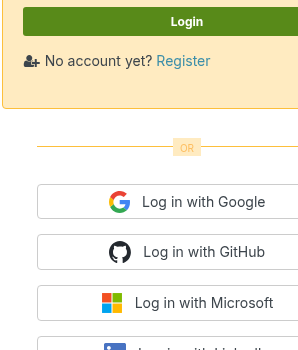
Planio supports single sign-on through Microsoft, Google, GitHub, Bitbucket and LinkedIn. Each user connects their Planio account with their account at one of these providers once, under My account.
After that, a click on the provider’s button on the login page is all it takes. Logging in with user name and password still works just like before.
Your Own LDAP Server
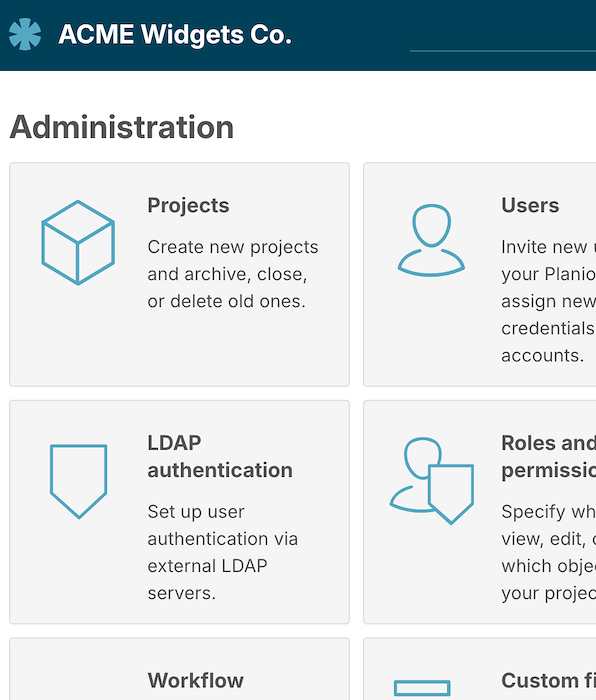
If you run your own LDAP server, you can set up Planio to authenticate your users against it. This is included in all plans. Secure connections via LDAPS are supported, of course.
Optionally, Planio creates new users automatically: when someone logs in for the first time, the corresponding Planio user account is set up on the spot.
Microsoft Entra ID and OpenID Connect
Enterprise customers who use Microsoft Entra ID (formerly known as Azure Active Directory) can connect their own Entra ID tenant with Planio. Other identity providers that speak OpenID Connect work the same way. We set up the connection for you.
Other SSO integrations can be realized as customizations based on our Enterprise plan. Please talk to us!
Automatic Provisioning, No Passwords
With automatic user provisioning, everyone you enable for Planio in your identity provider gets a Planio account the first time they log in. Nobody has to connect accounts by hand.
If you like, password-based login can be disabled entirely, including for the API, Git and WebDAV. Access to Planio is then only possible through your identity provider.
Single Sign-On at a Glance
- Microsoft, Google, GitHub, Bitbucket and LinkedIn: included in all plans
- LDAP: your own server, secured via LDAPS, included in all plans
- Microsoft Entra ID and OpenID Connect: in the Enterprise plan, set up by us
- Automatic provisioning: accounts are created at the first login
- Password login: can be disabled, including for the API, Git and WebDAV
No credit card required. Sign up only takes 60 seconds.