Jory MacKay on April 29, 2026
 Why documentation is so important (and how to do it right)
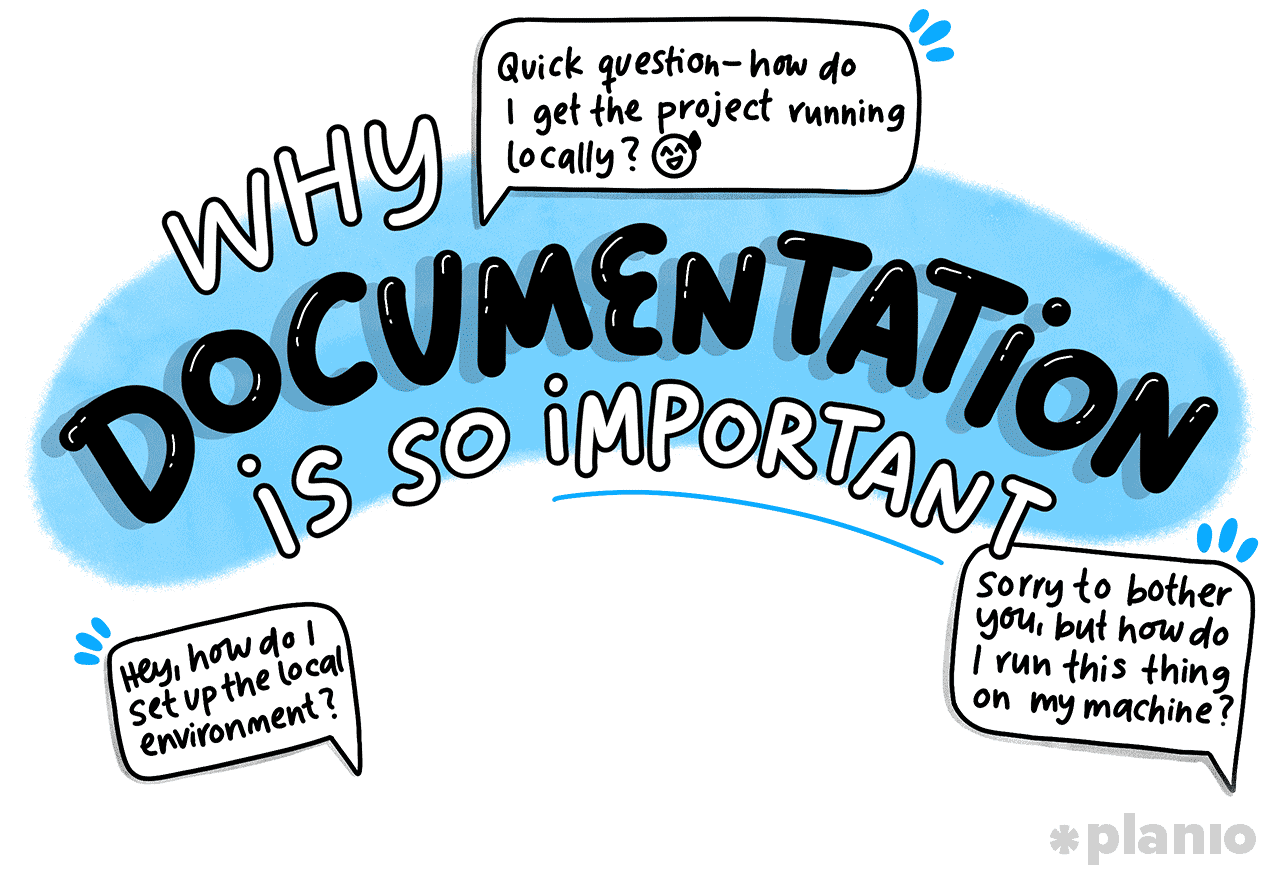
Shared knowledge is the backbone of every great team. But as you scale, you’ll quickly come to learn that relying on the knowledge in other people’s heads just doesn’t cut it.
When team members leave or switch to another project, critical knowledge goes with them. Before you realize it, you’re regularly “starting again”. But this doesn’t mean that you can rely on writing things down and call it a day.
Poor documentation is also a major productivity drain. Many workers spend around 25% of their workweek digging through messy folders and old chat logs to find what they need.
When you shift your thinking and start thinking of documentation like a system (a game-changing process rather than just an artifact), you’ll unlock productivity gains while combating low morale and avoiding financial loss.
In this article, we’ll dive into the importance of documentation, the types, the systems you should be focusing on, and how Planio’s Wiki takes documentation to the next level.
Jump to a section:
What do we mean by “documentation”?
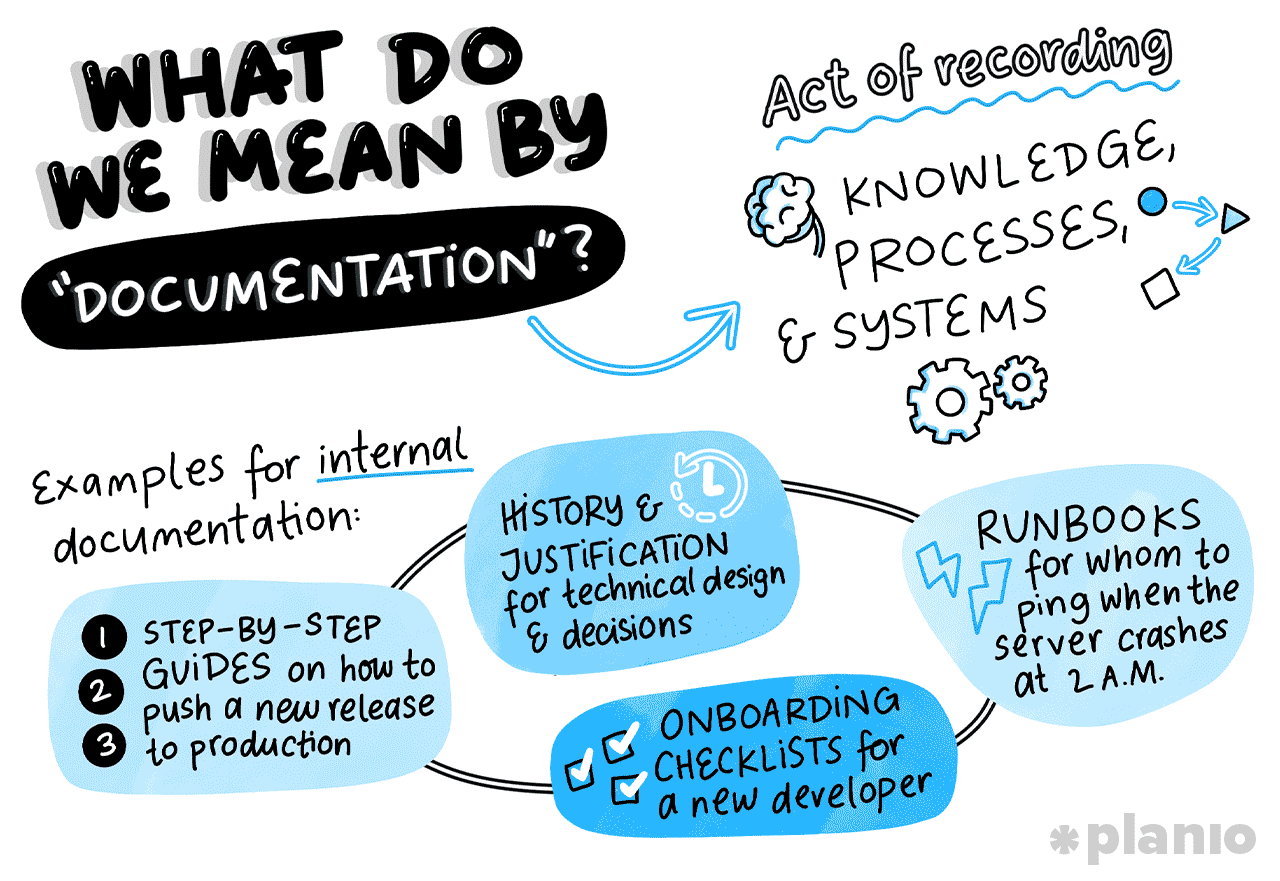
Documentation is the act of recording knowledge, processes, and systems so they can be referenced later.
Many people see documentation as just a physical (or electronic) artifact, but the end-to-end process of documenting, storing, referencing, and updating information is the quiet superpower of any truly successful business.
In this article, we’ll be focusing mainly on internal documentation. This is the information your team needs to do their jobs, which is very different from external documentation such as user manuals, FAQs, or help center articles.
Internal documentation is a key part of running any successful team. Imagine, for example, you’re part of a software development team. Your documentation isn’t just comments on code; instead, it also covers:
- Step-by-step guides on how to push a new release to production
- History and justifications for technical design and decisions
- Onboarding checklists for a new developer
- Runbooks for whom to ping when the server crashes at 2 AM
While most teams immediately associate documentation with IT project management, it’s a practice that can benefit any team in any company.
9 types of documentation that teams need
To bring this to life further, here are a few different types of internal documentation you could come across:
- Project documentation. The foundational documents that guide a project from start to finish (e.g., project charters, requirement specs, and project plan).
- Process documentation. Step-by-step process maps detailing how to complete specific, repeatable tasks (e.g., how to request time off, how to handle a customer refund).
- Team documentation. Information specific to how a team operates (e.g., team rituals, daily meeting structures, and communication guidelines).
- Lessons learned. Post-project reviews, retrospectives, and lessons learned templates that capture what went well, what failed, and how to improve next time.
- Technical documentation. Detailed specs on software architecture, API integrations, database schemas, and codebase rules.
- Company and strategy documentation. High-level documents outlining the company’s mission, strategy plan, OKRs (Objectives and Key Results), and overall business strategy.
- Onboarding and training documentation. Guides, videos, and checklists designed to get new hires up to speed quickly and independently.
- Troubleshooting runbooks. Pre-defined procedures for handling specific emergencies, outages, or known bugs.
- Meeting notes and agendas. A historical record of decisions made, action items assigned, and topics discussed during key meetings.
The bottom line: Documentation acts as your company’s collective brain. It takes the knowledge out of individual people’s heads and puts it into a shared space where anyone can access it, learn from it, and improve upon it.
Why is documentation so important?
But here’s the elephant in the room: many people see documentation as unnecessary admin work or, in the worst cases, a complete waste of time.
Let’s face it, when you’re staring down a tight deadline, it’s easy to think, “Why spend my valuable hours documenting processes when I could be coding, planning, or executing tasks?”
The reality is that documentation perfectly illustrates the 80/20 rule of project management.
Put 20% of your effort into documentation now, and it’ll yield an 80% return in the future. It’s an investment that pays compound interest over time.
When you take documentation seriously, you unlock massive benefits for your team, such as:
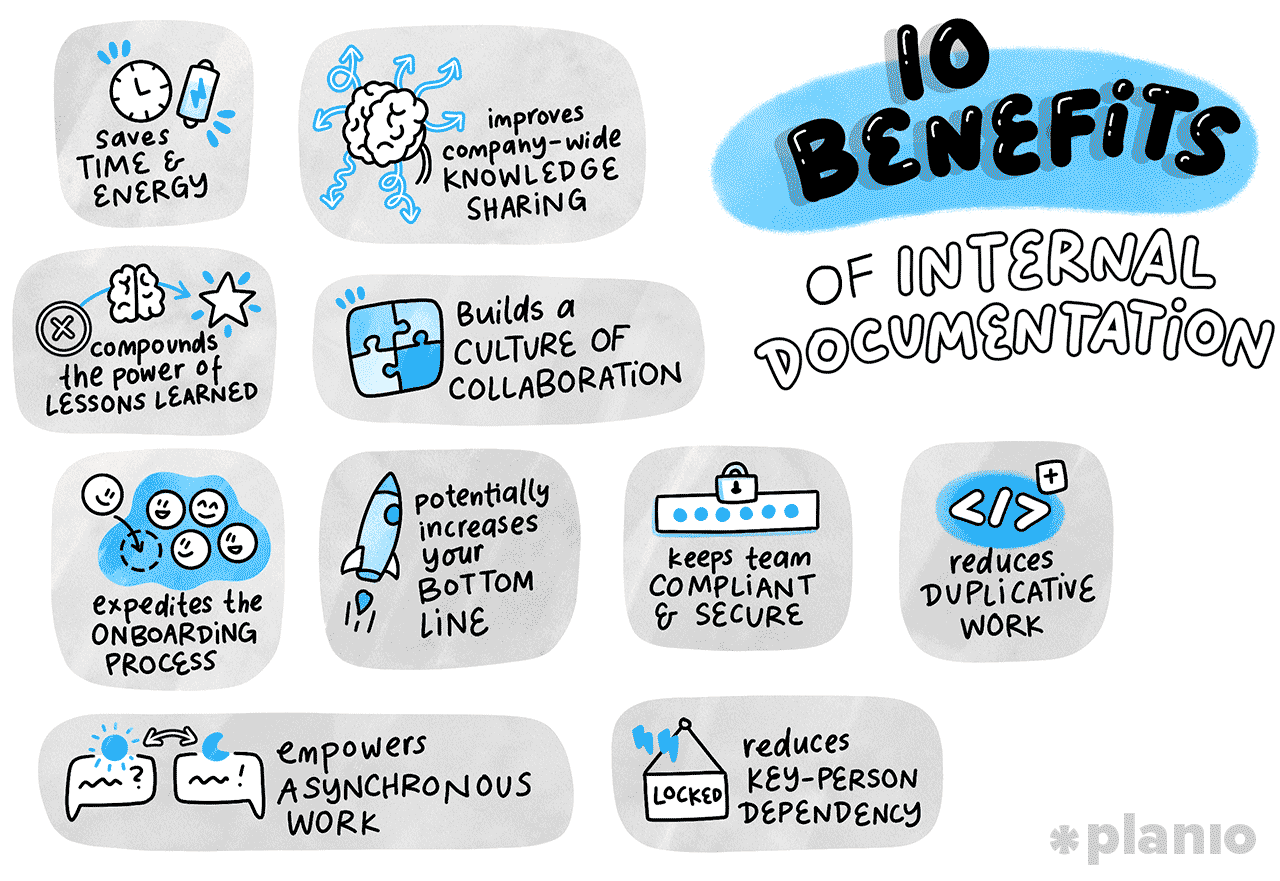
- Saves time and energy: You stop answering the same questions repeatedly. When someone asks, "How do I do X"?, you simply point them to the Wiki.
- Compounds the power of lessons learned: Instead of making the same mistakes on every new project, your team learns from past missteps and starts from a higher baseline each time.
- Expedites the onboarding process: New hires don’t have to sit around waiting for a manager to explain things. They can dive right into the documentation and start contributing faster.
- Improves company-wide knowledge sharing: Silos break down when marketing can easily see what product development is working on, and vice versa.
- Builds a culture of collaboration: When documents are open for anyone to improve, it creates a sense of shared ownership and teamwork.
- Potentially increases your bottom line: Less time wasted searching for information means more time spent shipping features and delivering value to customers.
- Keeps teams compliant and secure: Regulated industries require a paper trail. Good documentation proves you’re following the right security protocols and legal requirements.
- Reduces duplicative work: You avoid situations where two developers accidentally build the same tool because they didn’t realize it already existed.
- Empowers asynchronous work: Distributed and remote teams can work seamlessly across time zones without waiting for a colleague to wake up and answer a question.
- Reduces key-person dependency: If your lead engineer wins the lottery and quits tomorrow, their knowledge doesn’t disappear with them.
How to build a powerful internal documentation system
Knowing why documentation matters is one thing, but actually putting a system in place is another. Let’s go over some tactical processes and tips for creating a strong knowledge base for your team.
Let’s be clear: creating documents in MS Word or Google Docs is where knowledge goes to die.
1. Gain feedback from the team on documentation pain points
Everyone knows what documentation is, but many fail to do it regularly. Before you dive into designing a new documentation system, take a step back and find out what’s broken today.
- Don’t just focus on the bad (or the good). Hold a roundtable discussion to gain effective feedback on the friction points in your current knowledge-sharing setup. Be careful not to focus just on the bad, though, and draw out anything good that’s happening now that you’d like to keep.
- Identify the value-add. Send out a quick survey asking, “What piece of information took you the longest to find this week?” This will highlight the current pain the team is facing, highlighting the value of a new documentation system to increase buy-in.
2. Identify repeated and critical processes
If a task happens more than once, or if the success of your business relies on it, you need to document it. Start by auditing your team’s weekly workflows to spot the most common repetitive tasks and the high-stakes procedures.
- Start at a high level. Ask your team to list the top three tasks they do every single week without fail. These are the tasks that keep the engine of your team running and could trip you up if they stop working.
- Move onto delivery-critical tasks. If you’re working in a project environment, document the critical path tasks and processes first. This will help keep you on track and avoid any delays if team members go off sick or need time away.
3. Create reusable document templates
Staring at a blank page is intimidating. Templates remove the friction of getting started and give your team a clear structure to follow.
But let’s be clear: creating documents in MS Word or Google Docs is where knowledge goes to die.
Documentation is a living process, not a static artifact. It should live on a platform that’s easy-to-access and supports continuous evolution.
- Choose Wiki’s over documents. Use this time to think about the ecosystem of your documentation. We’d recommend using a Wiki rather than just a document store, as it’s a ‘living’ environment to create, share, and update knowledge, with full tracking of any changes. We’ll tell you more about Planio’s Wiki as we go through our next few tips.
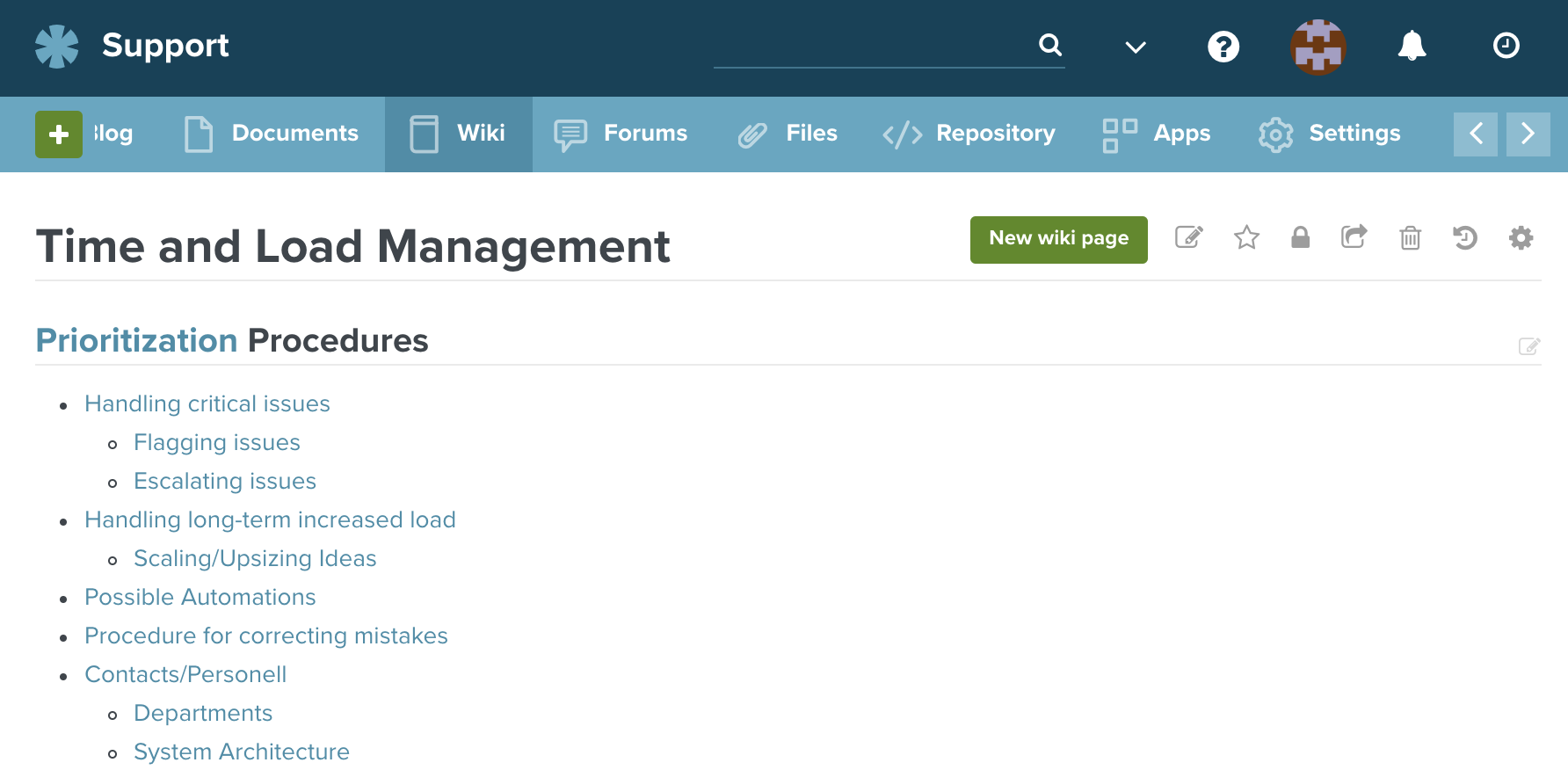
- Don’t ignore the importance of consistency. As you begin documenting information, agree on the ‘data items’ within your documents. For example, every document may include a title, author, description, summary, process map, and next review date.
- Shift your team’s mindset. Within your team, begin fostering the mindset that documentation is never “finished.” Everyone can always edit and improve a page, much like how the popular site Wikipedia works.
- Track changes. Just because the document is evolving, doesn’t mean history is forgotten. All changes made in a Planio wiki are documented and can be revisited.
4. Sketch out a process map
Sometimes, words aren’t enough to bring your world to life. Process mapping involves visually outlining the steps of a workflow from start to finish. It helps identify bottlenecks, redundant steps, and areas where documentation is missing.
- Draft in person. Grab a whiteboard (or a digital equivalent) and map out the exact lifecycle of a process, user story, or project. This is a collaborative exercise that not only creates the foundation for documentation, but also expands knowledge across the team.
- Make process maps top of mind. Include visual maps at the top of your text-based documentation to give readers an immediate, high-level understanding of the workflow. To help you make visual process maps a key part of your documentation, check out our Process Mapping 101 Guide.
5. Involve stakeholders and Communities of Practice (CoPs)
Documentation shouldn’t just fall on the shoulders of project managers or technical writers. Bring in subject matter experts, such as Communities of Practice — groups of people who share a common profession or interest within your company — to ensure documentation is sharp, detailed, and effective.
- Set ownership. Assign a “Document Champion” within each department to input, review, and advocate for their specific area of expertise. This helps create well-rounded documentation with inputs from experts at every stage.
- Use cross-functional reviews. Run cross-functional reviews where teams review each other’s parts to maximize understanding and clarity. For example, you may ask a developer and a marketer to review each other’s documents to check for clarity and missing context.
Documentation doesn’t have to be a chore.
6. Store documentation in your project management tool
Your documentation needs to live right where the actual work is happening. If it’s isolated in a separate, clunky drive, people won’t use it.
The Planio knowledge management features make it incredibly easy to document, organize, and share knowledge across your entire team via the Wiki. When you store knowledge in Planio, it essentially becomes your company’s internal Wikipedia. Everyone with access can edit and improve documents and all changes (or groups of changes) can be tracked, shown, rolled back, and compared with other versions. Like with code, you can see who changed what when and why in the Wiki. Even better, all Wikis are indexed and available for full-text search alongside other content in Planio.
- Make it the central source of truth for everyone. Planio’s Git-like Wiki is the perfect place to become the center of your universe. Every change is stored, every change is tracked, and you can see who changed what, when, and why.
- Level up with Markdown and AI integration. Use Markdown to cross-reference everything. In the Planio Wiki, you can seamlessly link to specific issues (e.g.,
#452), other wiki pages, attached files, or even specific code commits. Plus, Planio now integrates with AI assistants via MCP, meaning a well-kept wiki actively helps your AI learn about your company’s unique processes.
7. Schedule regular time for clean ups
Outdated documentation is almost worse than no documentation at all because it leads people down the wrong path with misinformation. You have to treat your knowledge base like a garden; it needs regular weeding, watering, and feeding.
- Get organized. Set a recurring calendar invite every quarter for a “Documentation Hackathon” where the team spends an hour updating or archiving old pages. For teams working in sprints, you can also add document review time into your sprint plans, in the same way you would for addressing technical debt.
- Create clarity on dates. Add a “Last Reviewed Date” to the top of your critical documents so readers immediately know how fresh the information is. If the date’s older, it gives the reader a heads up to check critical information.
8. Adapt, learn, and improve
Businesses are constantly changing, and that’s the same for your documentation practices.
As teams, tools, and ways of working evolve, don’t be afraid to scrap a documentation format if nobody is using it. Ultimately, you’re trying to maximize adoption, so learn and improve as you go.
- Use data to highlight outdated (or unused) documentation. Check your Wiki’s search analytics (if available) to see what terms people are searching for the most. If they are searching for it regularly, it probably needs better documentation.
- Take advantage of “fresh eyes”. Regularly ask new hires for feedback on the documentation during their onboarding. They have the perfect mix of fresh eyes and limited context, so they will immediately spot the confusing gaps.
Practical documentation best practices you need to follow
The best documentation balances detail, effectiveness, and usability. If you’ve worked through our step-by-step guide and need a little more advice, keep these best practices in mind:
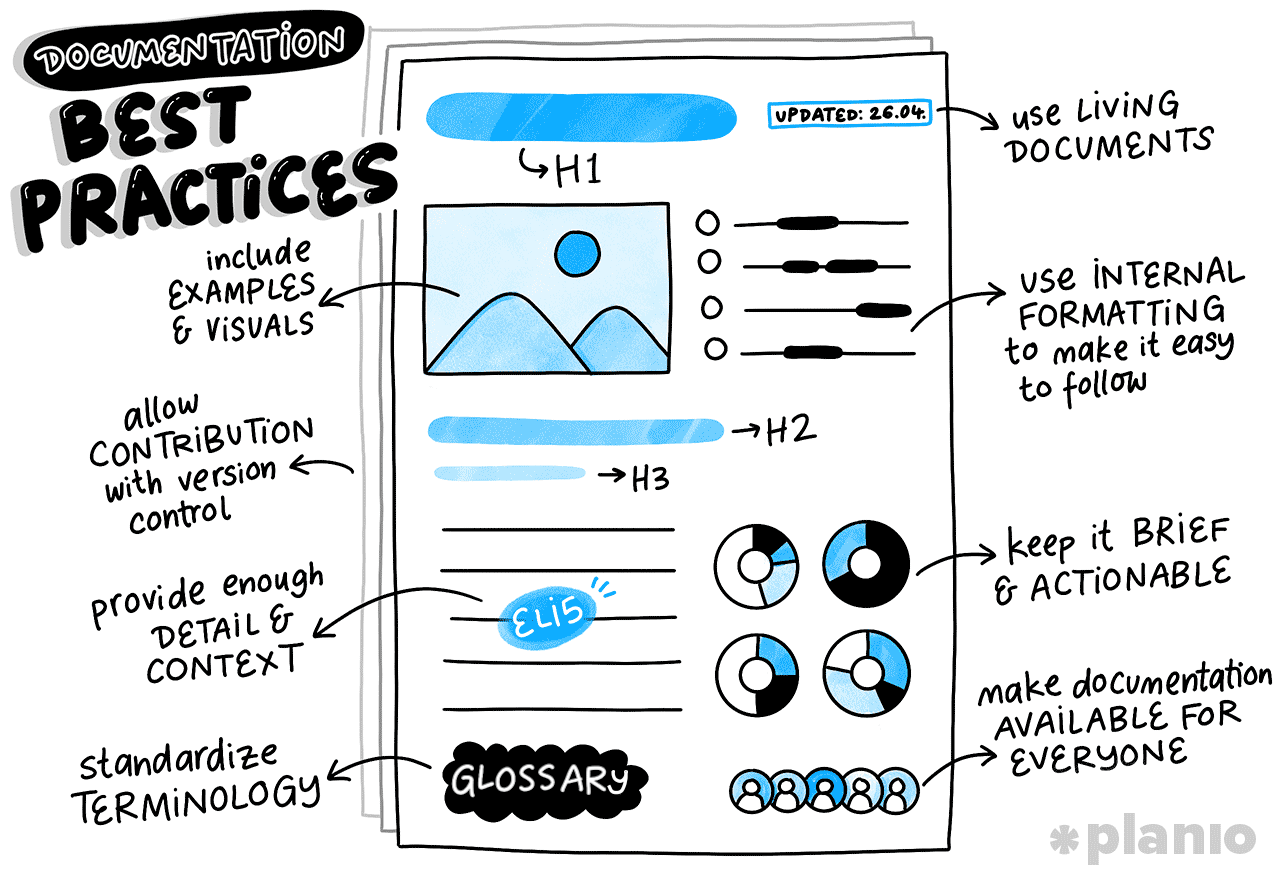
- Use internal formatting to make it easy to follow. Break up walls of text with H2 and H3 headings, bullet points, bold text for key terms, and horizontal rules. Scannability is crucial.
- Include examples and visuals whenever possible. A quick screenshot, a flowchart, or a code snippet saves hundreds of words of explanation.
- Provide enough detail and context (ELI5). You might have all the background context in your head, but what about a new employee or someone on an entirely different team? Treat your writing like an ELI5 (Explain Like I’m 5) question. Don’t assume prior knowledge.
- Make documentation available to everyone. Unless it involves sensitive or financial data, default to transparency. Lockdowns breed silos.
- Allow contributions (with version control). Gatekeeping slows teams down. Let anyone suggest changes or edit pages directly. As long as you have a system like the Planio Wiki that tracks history and allows rollbacks, there’s no risk of permanent damage.
- Standardize terminology and create a company dictionary. Do you call them "clients", "customers", or "users"? Pick one and stick to it, or create a central glossary page so everyone speaks the same language.
- Use living documents. Avoid exporting guides to PDFs. Keep everything in a central, editable wiki so it can evolve organically as your processes improve.
- Keep it brief and actionable. Fluff helps no one. Get straight to the point, tell the reader exactly what they need to do, and provide the links they need to do it.
Final Thoughts: Don’t fall for these common documentation pitfalls
Even with the best intentions, teams often stumble when rolling out a documentation system. Keep an eye out for these common traps to maximize your chance of success:
- Ignoring documentation when things get busy. When a crisis hits, documentation is the first thing dropped. To prevent this, make documentation a mandatory part of your Agile retrospectives or definition of done.
- Not involving stakeholders and team members. Top-down documentation rarely works. If the people actually doing the work aren't helping write the guides, the guides won't reflect reality.
- Hiding or blocking people from accessing your documentation. Burying important guides in nested, permission-locked folders defeats the entire purpose of knowledge sharing. Make knowledge easy to find, read, and share.
Documentation doesn’t have to be a chore. When done right, it’s a powerful tool that empowers your team, reduces stress, and makes scaling your business incredibly smooth.
Planio helps teams do this beautifully by keeping documentation in a single location, tied directly to your tasks, projects, files, and code repositories. Everything your team needs is in one organized, easily searchable tool.
If you’re ready to take your documentation and projects to the next level, sign up for our 30-day trial (no credit card required!)