Jory MacKay on May 13, 2026
 Project tracking 101: The best tools and techniques
While many teams have their eyes set squarely on the future — chasing the latest trends, technologies, and tools — they unknowingly lose sight of what will get them there: running successful project after successful project.
The fundamentals of project tracking are some of the most important skills any project manager can master.
Project tracking isn’t just about managing deadlines and running status updates, it’s about control, clarity, and quality. The better equipped you are for monitoring progress, identifying issues early on, and mitigating scope creep, the easier it is for you to steer your “ship” in the right direction.
In this guide, we cover exactly what project tracking is, the frameworks you can use, and how to guide your projects with confidence and clarity using project trackers like Planio.
Jump to a section:
What is project tracking?
Project tracking is the process of monitoring your project’s progress against your original project plan. As part of the project tracking process, you will track tasks, deadlines, budgets, risks, and resources to make sure everything keeps moving in the right direction.
Within the larger ecosystem of project management (alongside project scoping, project planning, project reporting, and program management), project tracking is the engine that keeps everything running. It directly connects your project plan with the team’s day-to-day tasks, helping you stay on track despite the inevitable bumps in the road.
But this is all very high level. So, let’s look at a real-world example of project tracking to bring the idea to life:
The situation: You’re managing an IT project to launch a new mobile app.
The problem: Developers know they need to work on new features, but they don’t have the direction and guidance to get started.
The solution: With a project tracker, you map out the critical path of activities from design, prototyping, and development through to testing and launch.
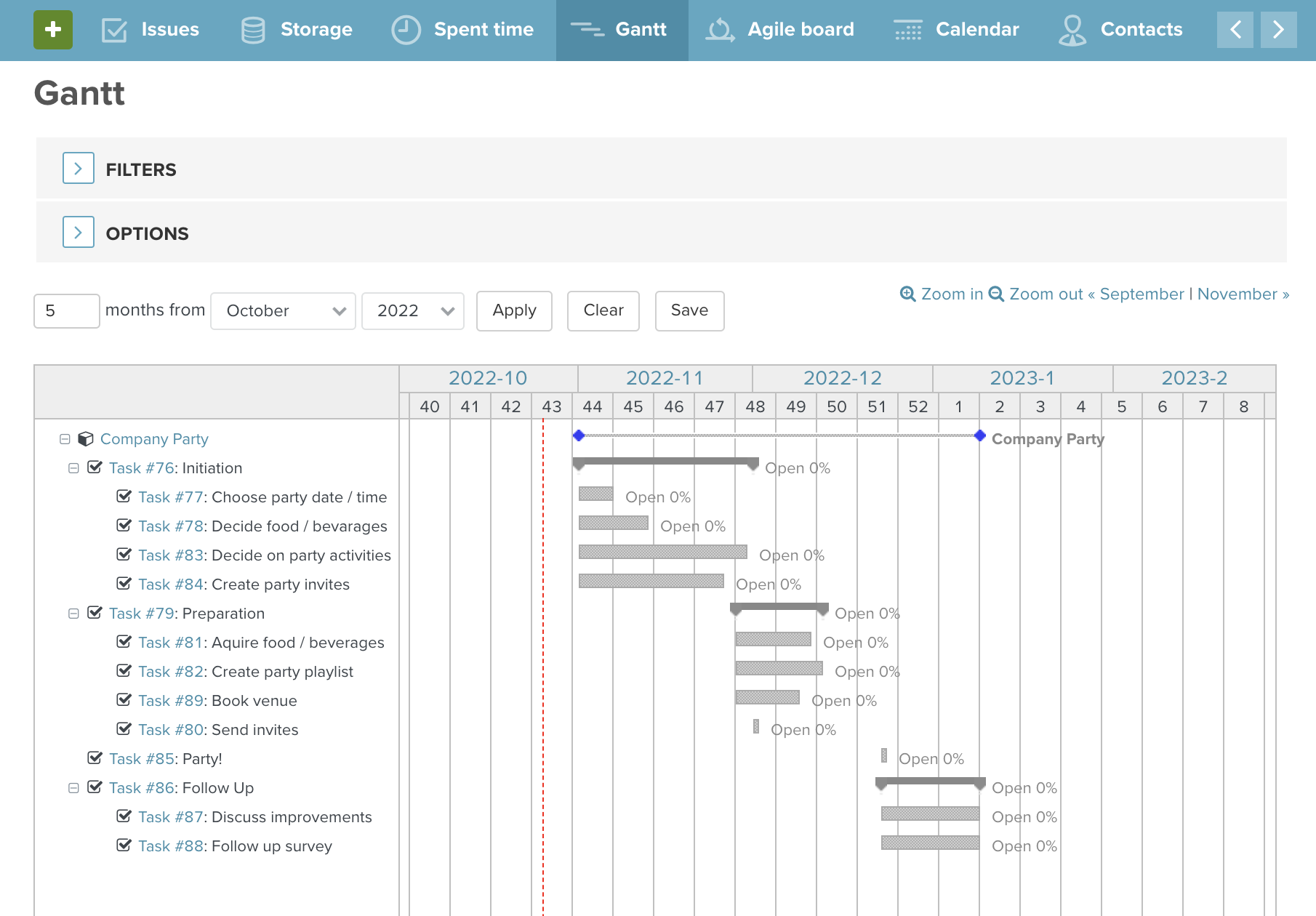
With the project plan mapped out, the team works through the tasks, updating you on their achievements as they go. You track the team’s progress, make changes, unblock issues, or provide support when they need it.
Pro tip: A central project tracking tool like Planio helps everyone stay aligned, taking the complexity out of the process while boosting collaboration.
Project tracking is a balancing act.
The 9 biggest real-world benefits of project tracking
The most obvious upsides of project tracking are knowing what’s being worked on, what needs to happen next, and who’s responsible. But the benefits go much deeper than just daily task management.
Here are some reasons why project tracking is so valuable:
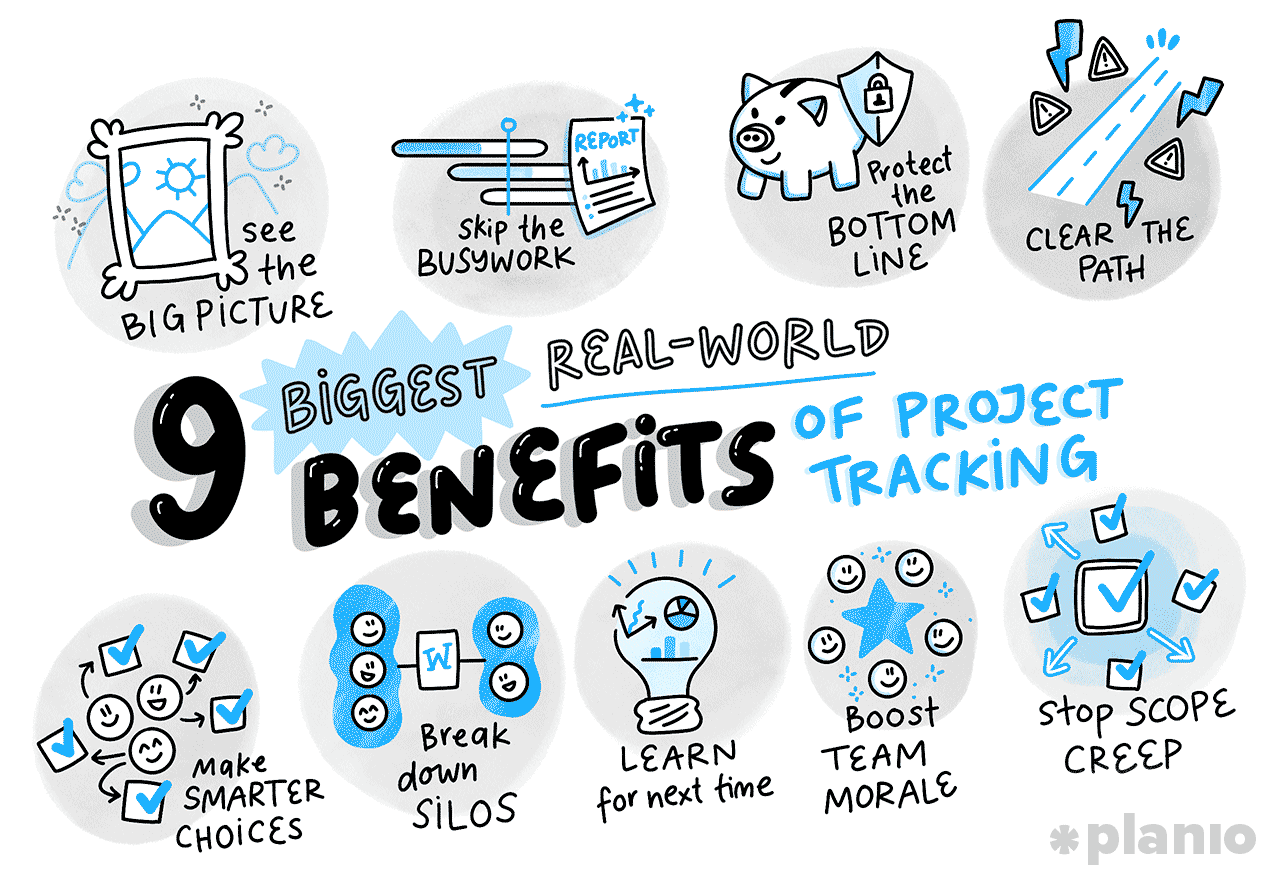
See the big picture
Project tracking is a constant pulse check of your project’s health. You don’t have to chase people for updates; the tracker tells you exactly where things stand.
Skip the busywork
Regular tracking makes reporting and project status updates a breeze. When stakeholders ask for an update, trackers can generate a report in seconds instead of spending hours compiling data.
Protect the bottom line
Tracking helps you spot financial or timeline overruns before they ruin the project. Early intervention stops risks from turning into issues.
Clear the path
By identifying the bottlenecks, risks, and other roadblocks, you can see when tasks are piling up on one person’s desk and step in to help.
Make smarter choices
Data-backed tracking lets you assign the right people to the right jobs at the right time. This empowers decision-making and optimizes resource allocation.
Break down silos
Regular tracking enables better cross-team collaboration. Everyone works from the same playbook, ending the classic miscommunications between departments.
Learn for next time
An often overlooked part of project tracking is the rich data you collect. Thanks to tracking, you build a clear historical record of what took longer than expected and why, ready to feed into the estimates of your next project.
Boost team morale
Seeing progress happen in real-time gives your team a psychological boost and a clear sense of accomplishment. This not only improves morale but also reduces the chance of burnout and fatigue.
Stop scope creep
Tracking makes it incredibly obvious when new, unplanned tasks are sneaking into the project. Avoiding scope creep is essential for keeping projects on track, especially in fast-growing businesses.
The bottom line: Project tracking isn’t about micromanagement; it’s about visibility. On top of knowing who’s doing what, taking the time to track your work properly protects your team from burnout, minimizes budget overruns, and sets your project up for a successful delivery.
5 project tracking frameworks (and how to choose)
For project tracking to work, it needs two things: the right tool, and the right framework.
Both go hand-in-hand, but it’s important to start with the framework first.
There are plenty of different frameworks to track work, ranging from step-by-step linear approaches to more iterative Agile frameworks.
If you’re deciding how to structure your work, it helps to understand what Agile project management is versus more linear methods—especially if you’re working in software development.
Here is a quick breakdown of the most common project frameworks and when to use them:
| Framework | Best for | Pros | Cons |
|---|---|---|---|
| Gantt Charts | High-risk or inflexible projects with strict dependencies (e.g., IT infrastructure, manufacturing) | Excellent visual timeline — makes dependencies very clear | Can be rigid — hard to update manually if major changes occur |
| Kanban Boards | Continuous workflows and support teams (e.g., process improvement) | Highly visual— great for spotting bottlenecks; easy to learn | Less focus on rigid deadlines — can get cluttered if not maintained |
| Agile Sprints | Software development and ‘test and learn’ projects (e.g., innovation or app builds) | Highly adaptable — delivers value quickly in short bursts | Requires strong team discipline — scope can shift if not managed |
| Critical Path Method (CPM) | Complex projects with rigid, unmovable deadlines (e.g., engineering or regulatory work) | Exceptionally clear — identifies exactly which tasks will delay the entire project if missed | Complex to set up — overkill for simple or creative projects. |
| Checklists | Simple, repeatable projects (e.g., agency website builds) | Dead simple — fast, easy to use, and requires zero training | Surface level — no visibility into workloads, dependencies, or high-level status |
Ultimately, when it comes to project tracking, one framework won’t fit all projects. Instead, teams often cycle through different approaches, reflecting on what worked, and what didn’t work, to improve and adapt over time.
Bonus: Not sure whether to use boards or sprints? Check out our guide on Kanban vs. Scrum to see which fits your team best.
How to track your project from kick-off to hand-off
Tracking a project isn’t something you just do during the execution phase. Throughout the entire project lifecycle, you’ll track progress and check updates against your initial plan.
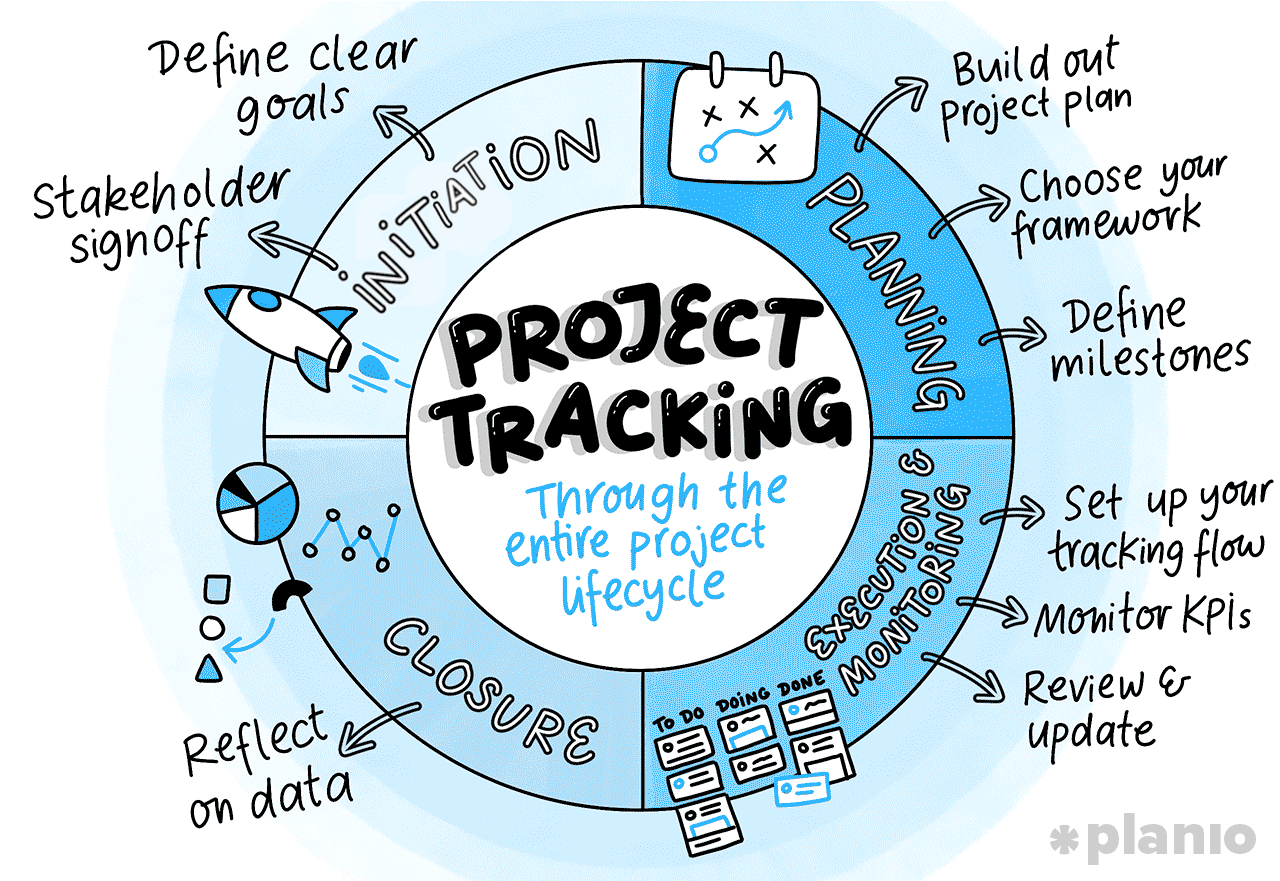
Here’s how to keep track of your projects regardless of what stage of the lifecycle you’re currently in:
Initiation: Define clear goals and deliverables
You need to know what success looks like before you can start tracking. During the initiation phase, define the project’s core objectives and what you’re actually going to hand over at the end. Even if elements change along the way, it’s important to document where you wanted to end up initially.
Tips for success:
- Set SMART goals. One of the oldest tricks in the book is to use SMART criteria (Specific, Measurable, Achievable, Relevant, Time-bound) to write your goals. It’s lasted the test of time because it works, giving you a strong foundation to track from.
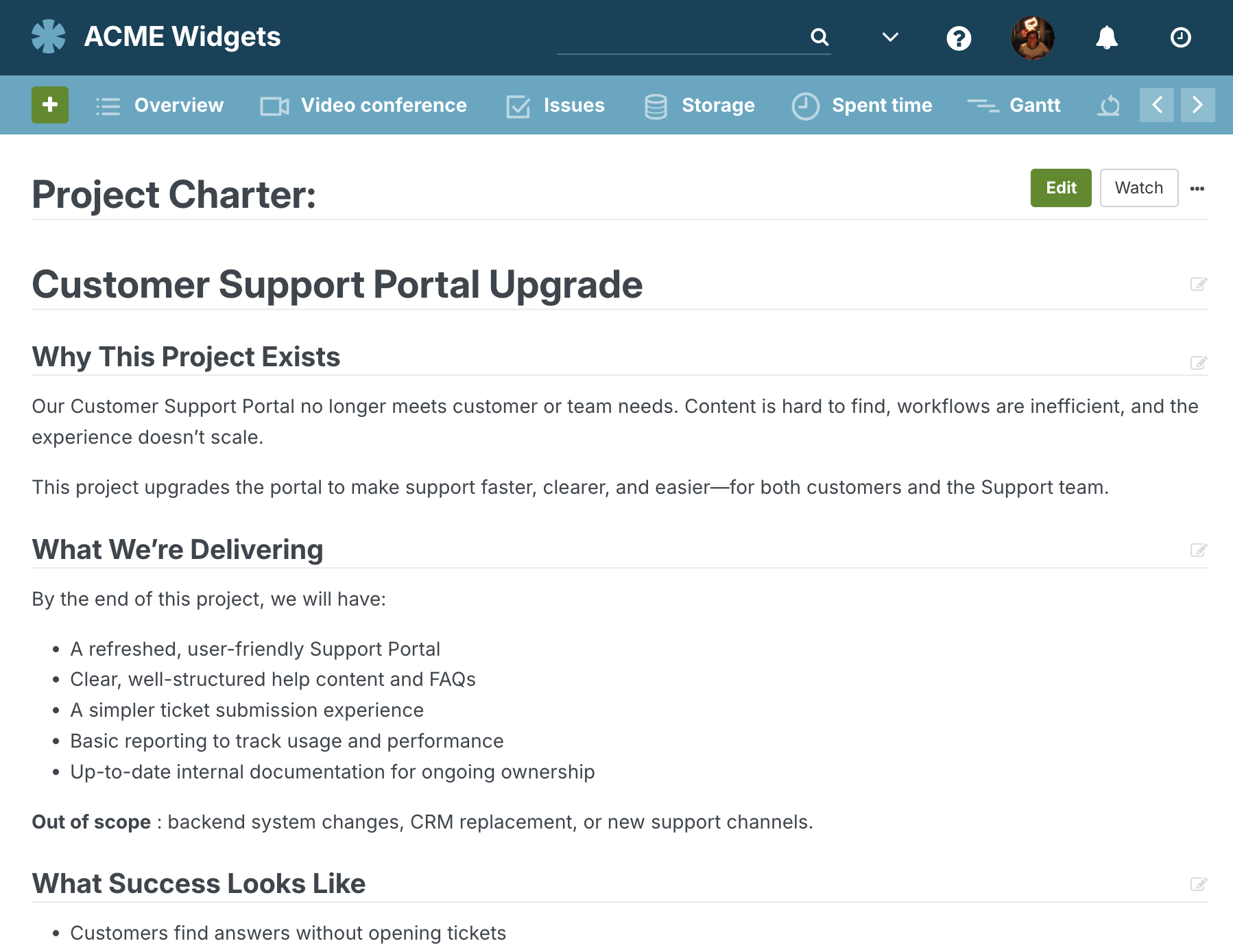
- Write down your project charter. Draft a one-page project charter that clearly states the project’s purpose and final deliverables. For larger projects, a charter can also be used to document your ways of working and team values, making accountability and tracking much easier down the line.
How project management tools help: Store your early project documents (including the project charter) in your tool’s centralized document storage or wiki. This ensures nothing gets lost in a messy drive, while creating a great foundation to track from.
Initiation: Gain stakeholder signoff
A project tracker is useless if your stakeholders aren’t on board with what you’re tracking. Many projects fail because they simply track the wrong things. Get sign-off on your scope, deliverables, timelines, and objectives to prevent arguments and misalignment later on.
Tips for success:
- Define roles and responsibilities. During initiation, use techniques such as RACI to agree on roles and responsibilities, including who is ‘doing’ and who is ‘responsible’ for each task. These roles form the basis of task allocation and tracking later on.
- Get full-team alignment. Hold a project kick-off meeting to run through the goals, scope, and objectives, followed up with a written confirmation to proceed. This ensures all stakeholders are aligned to your baseline plan.
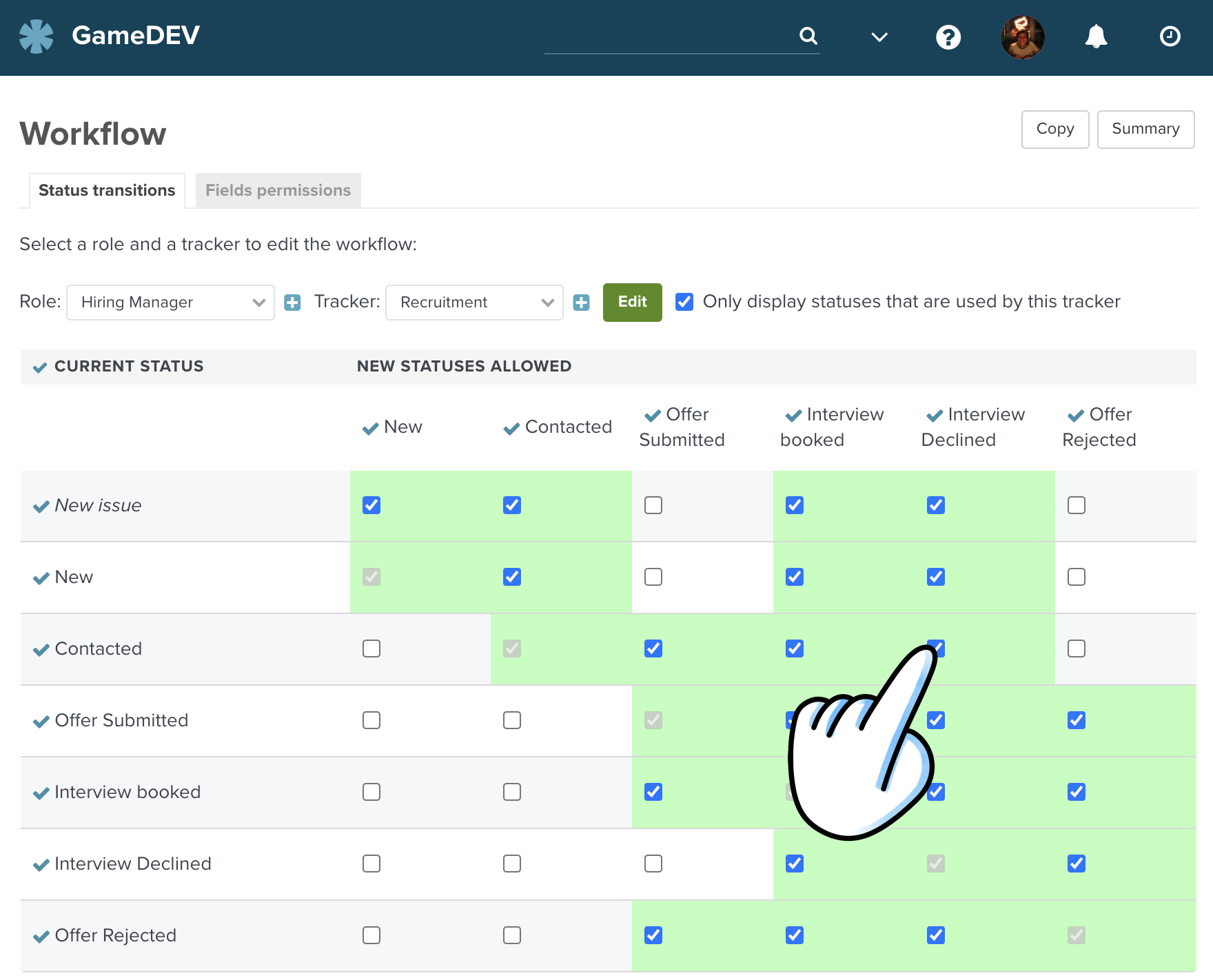
How project management tools help: Built-in approval workflows, electronic signature integrations, and ticket comments are great ways to capture official sign-off as part of a wider audit trail.
Planning: Build out your project plan
Once you’re through the gate of initiation, the fun really begins as you build out your project plan. This plan breaks down all the tasks, milestones, and deliverables that will contribute to your project’s success, as well as create a baseline schedule, resource plan, and budget.
Tips for success:
- Define your critical path. No matter which project management framework you use, taking the time to break down tasks and identify a critical path is essential for good project tracking. After all, once you know how to get from A to B, you’ll be ready to start tracking your progress.
- Go deeper than a task list. Many project managers believe a project plan starts and ends at a task list, but that couldn’t be further from the truth. In reality, a full project plan includes everything from resources, risks, budget, and benefits, giving you the full picture of a project. You can learn more in our Project Plan Guide here.
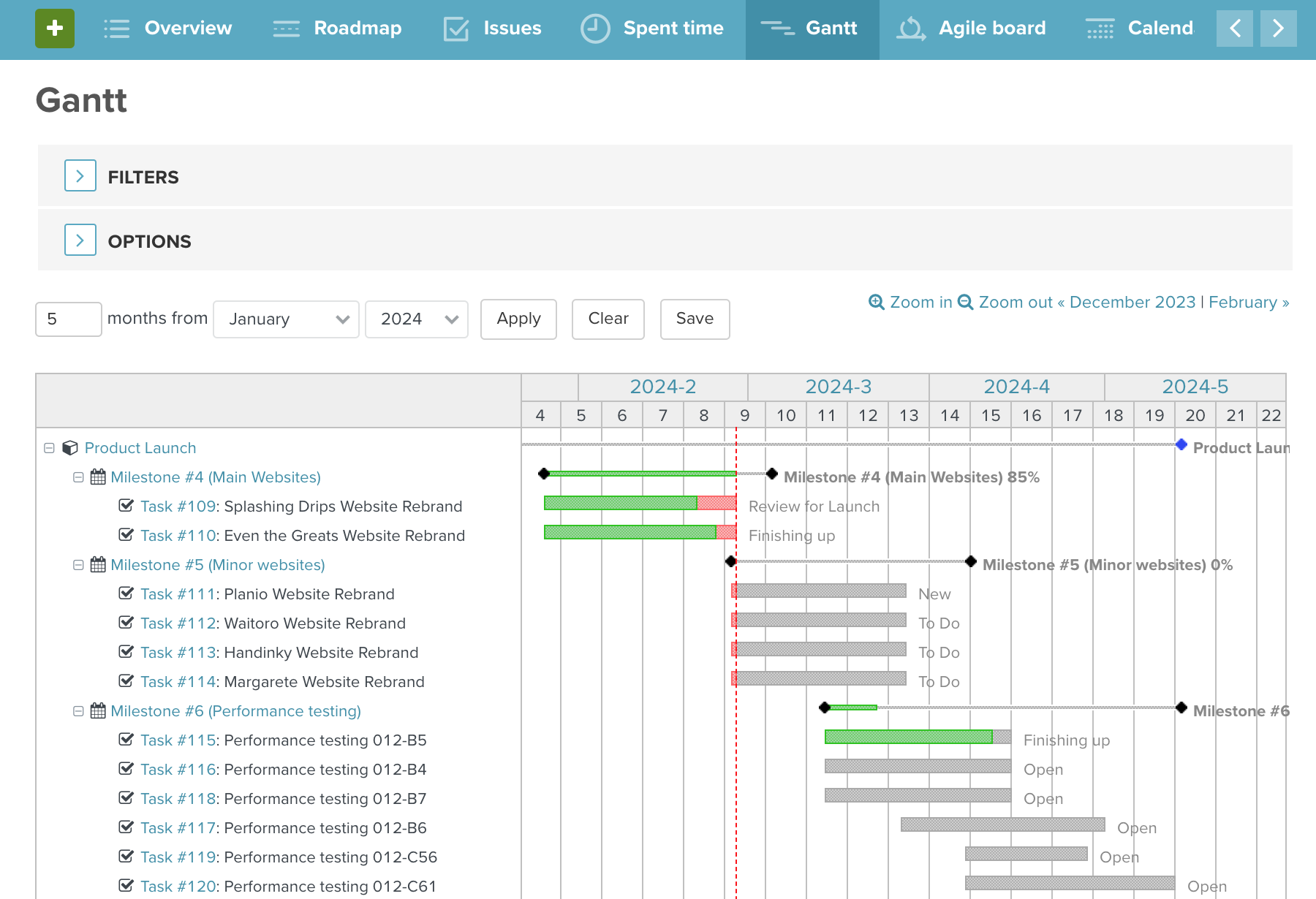
How project management tools help: Whether it’s a board, task list, or Gantt chart, PM tools are perfect for project planning, helping you get all of your tasks, resources, dependencies, risks, benefits, and budget together in one place.
Planning: Choose your tracking framework
Choosing a project framework is arguably the most important tracking decision you’ll make. When selecting a framework (like Scrum or Kanban), get the wider team and stakeholder group involved to create early buy-in and ownership.
Tips for success:
- Think about your team’s ideal ways of working. When selecting a framework, consider how each one will influence your ways of working. For example, if you select Agile, you’ll need to adopt the 5 core agile ceremonies.
- Build in some team rituals. On top of your framework, agree on the team rituals you’ll use to build collaboration, trust, and openness across the team.
How project management tools help: The best PM tools allow you to toggle between Kanban boards, lists, and Gantt views, flexing to the way each team works best.
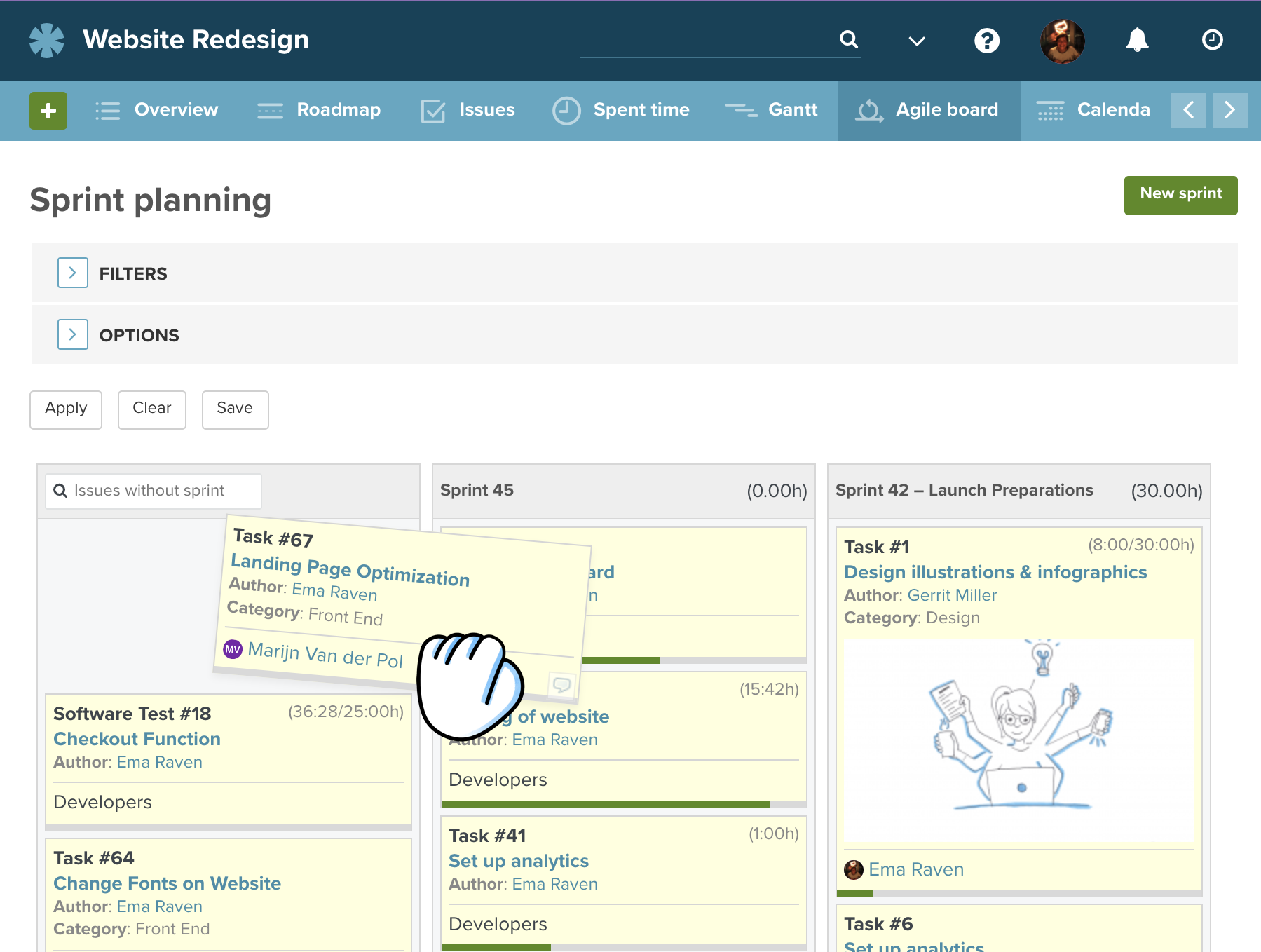
Planning: Define milestones to create clear tracking points
The last key components of your project tracking foundation are milestones. Milestones are major progress markers (like finishing a prototype or completing user testing), helping break big projects into digestible chunks that are perfect for tracking.
Tips for success:
- Align milestones and project moments. When setting milestones, it’s best to align them with major points of your project. We’d recommend putting them at the end of key phases (e.g., build, test, go-live) or at the point of key deliveries (e.g., designs signed off).
- Overlay milestones on your project plan. Milestones only make sense in the larger context of your project. Overlay your defined milestones on your project plan to show everyone the critical moments you need to hit in order to be successful.
How project management tools help: Most PM tools let you tag specific tasks as "milestones," highlighting them on your roadmap, dashboard, and reports for easy visibility and tracking.
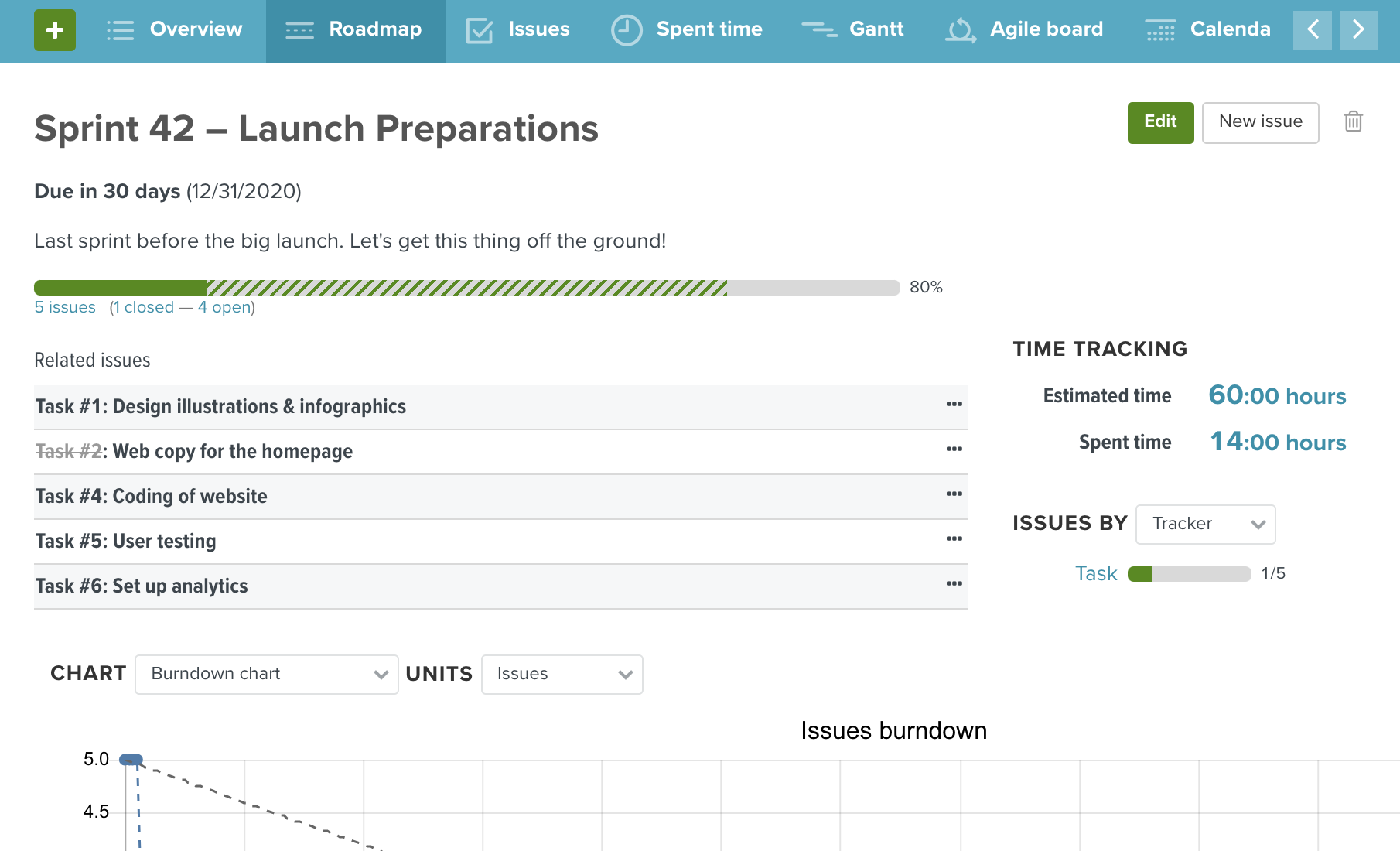
Execution & Monitoring: Set up your project tracking flow
With all the pre-work done, it’s time to set up your project tracking. If you want to master project tracking over the long term, at this stage you really need to focus on getting the right tools, systems, and processes in place that align with your chosen framework.
Tips for success:
- Structure setup. Invest time in getting a structured setup in place by visualizing and optimizing your tracking processes. This includes thinking about how and when your team will update you, and how those updates feed into your chosen tool.
- System setup. Within your chosen PM tool, set up a dedicated space for your new project. This will become the focal point for the entire team, centralizing data and information to make tracking easier.
How project management tools help: A tool like Planio acts as your central hub for your entire project-tracking universe, linking tasks, files, code repositories, and chat in one place. This will make tracking 100x easier, saving you from context switching between different systems.
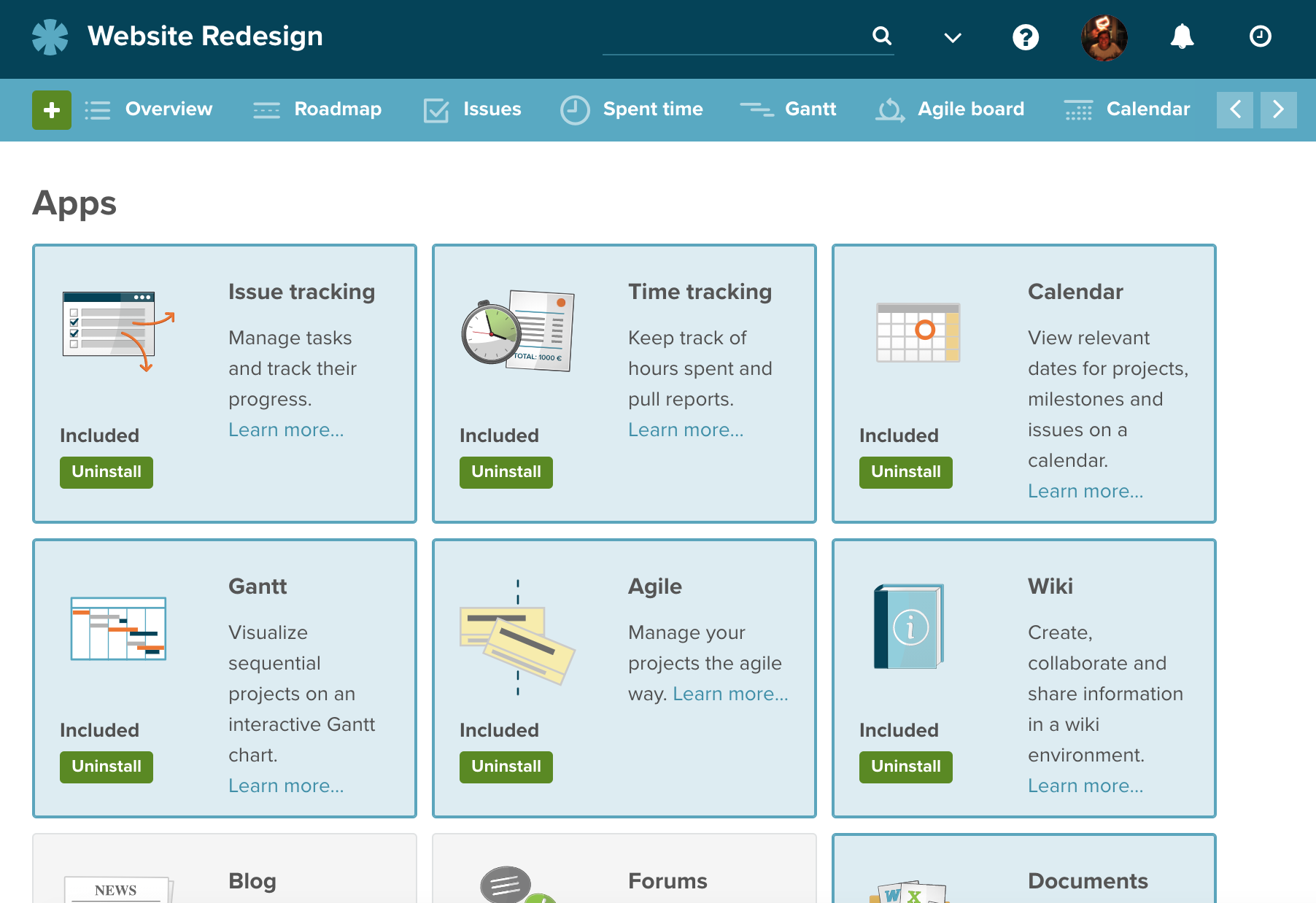
Execution & Monitoring: Monitor KPIs and other progress metrics
You can’t just hope things are going well; you have to measure them. The art of good project tracking is measuring yourself against progress metrics such as KPIs, milestones, budget, and quality targets.
Tips for success:
- Measure against a baseline. As you begin executing on your project plan, track against your baseline to measure performance. In projects, this is best done against your key milestone dates and budget.
- Don’t just measure the numbers. Project management is as much about people as it is about cost and benefits. Alongside your hard metrics, regularly check the pulse with your stakeholders to gauge how they feel about the project and its progress.
How project management tools help: The best PM tools automatically generate reports (e.g. project status reports, burndown charts) and time-tracking summaries so you don’t have to crunch the numbers manually. This not only saves time but also ensures tracking is data-driven rather than gut feel.
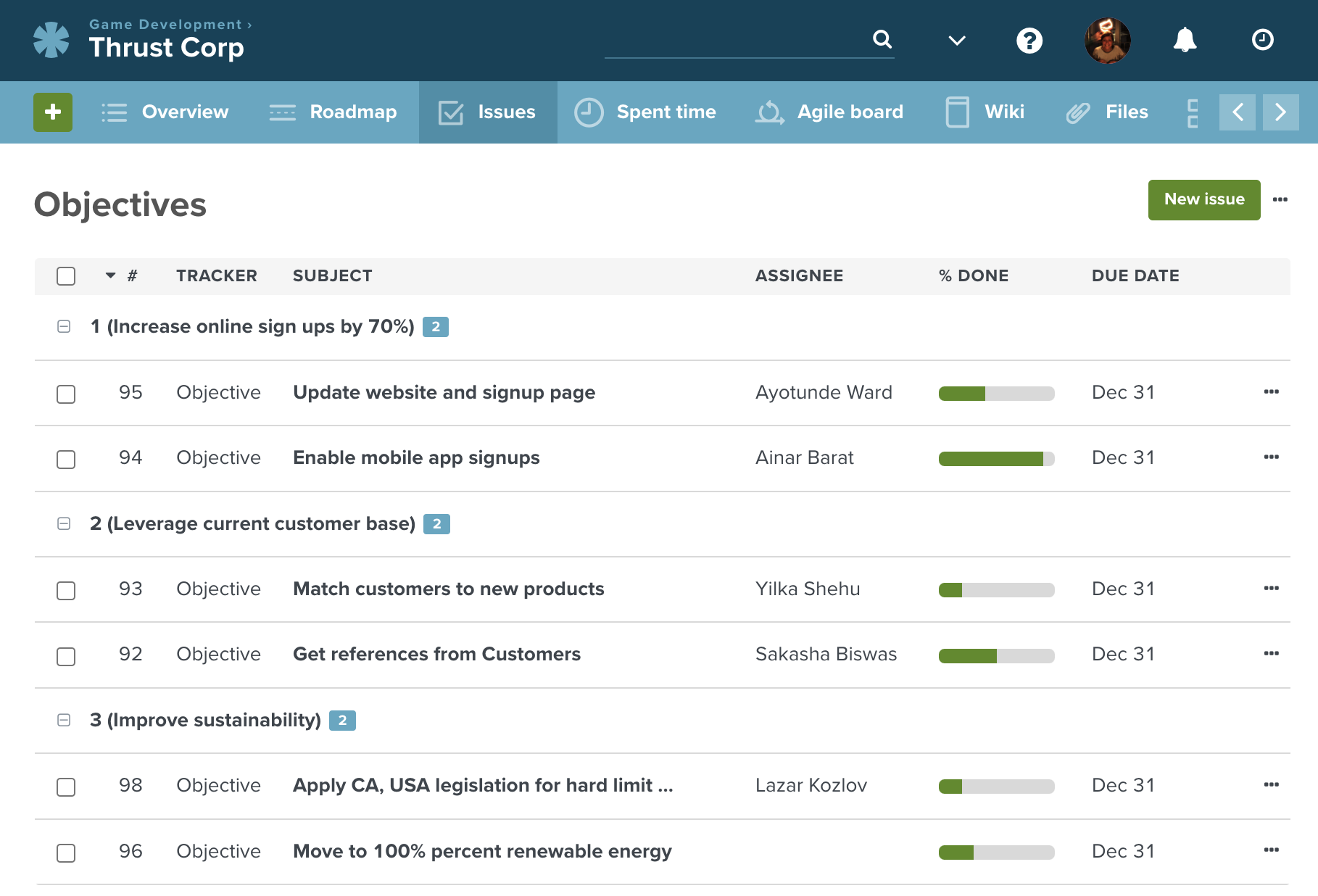
Execution & Monitoring: Regularly review and update your project tracker
A project tracker is only as good as the data inside it. If your team stops updating their tasks, and you stop following it up, it will fail. Once you have the systems, tools, and frameworks in place, it requires discipline and regular review to keep things moving.
Tips for success:
- Embed the process. Make updating the tracker a mandatory part of your daily standups or weekly check-ins. Make sure you’re setting the example by using it regularly yourself too.
- Keep up with your daily schedule. As the project manager, embed project tracking checks into your daily schedule to ensure it doesn’t fall off your radar. You can even use methods such as time blocking or Pomodoro to ensure tracking gets the focus it deserves.
How project management tools help: Automated notifications, chaser emails, and chat reminders are all handy tools to nudge team members to update their timesheets and task statuses. This keeps project tracking information up to date and helps embed it into everyone’s daily routine.
Closure: Reflect on best practices and archive helpful tracking data
Once the work is done, you need to officially close the project, archive the documents, and celebrate the win. For project tracking data, make sure it’s saved and archived in an accessible way, as it could be very handy for your next project.
The fundamentals of project tracking are some of the most important skills any project manager can master.
Tips for success:
- Reflect and improve. Always hold a post-project retrospective to document what went right and what went wrong. While each project is different, you may learn value lessons for tracking in the future.
- Keep the data. Project tracking data is super valuable, uncovering how long tasks took as well as the associated costs, risks, and issues you solved along the way. This data is great for estimating future projects, improving your planning accuracy over time.
How project management tools help: Archiving features let you hide completed projects and tasks from your active dashboard while retaining all the data for future reference.
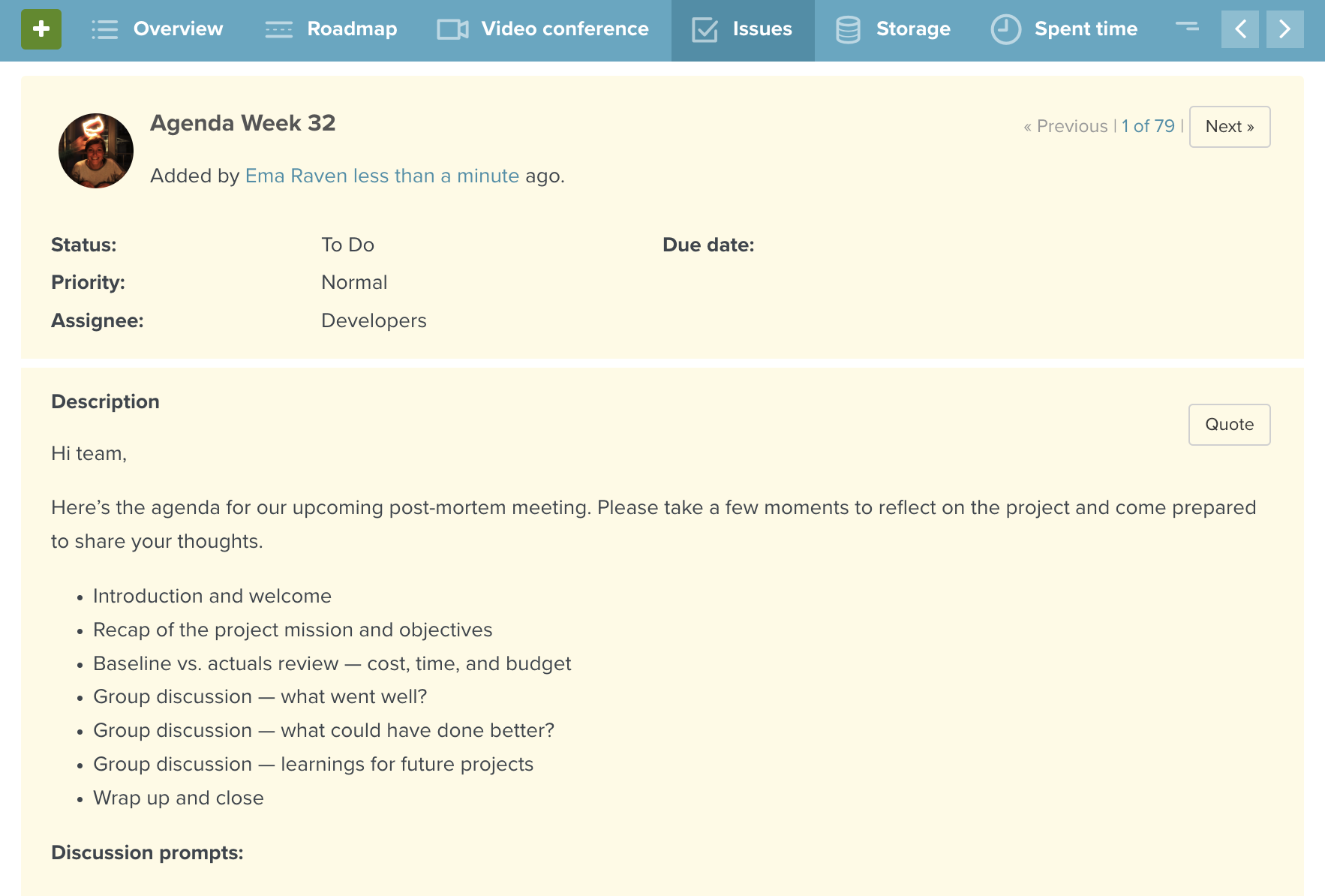
How Planio handles project tracking
Planio was built specifically to take the pain out of project tracking. Here are a few ways our features empower teams to stay on track:
Gantt view
Best for: Linear and Waterfall projects.
Planio Gantt charts give you a perfect visual timeline of your entire project. You can easily map out task dependencies, adjust schedules with a quick drag-and-drop, and see exactly how a delay in one area impacts your final delivery date.
Board & Sprint views
Best for: Agile and Scrum teams.
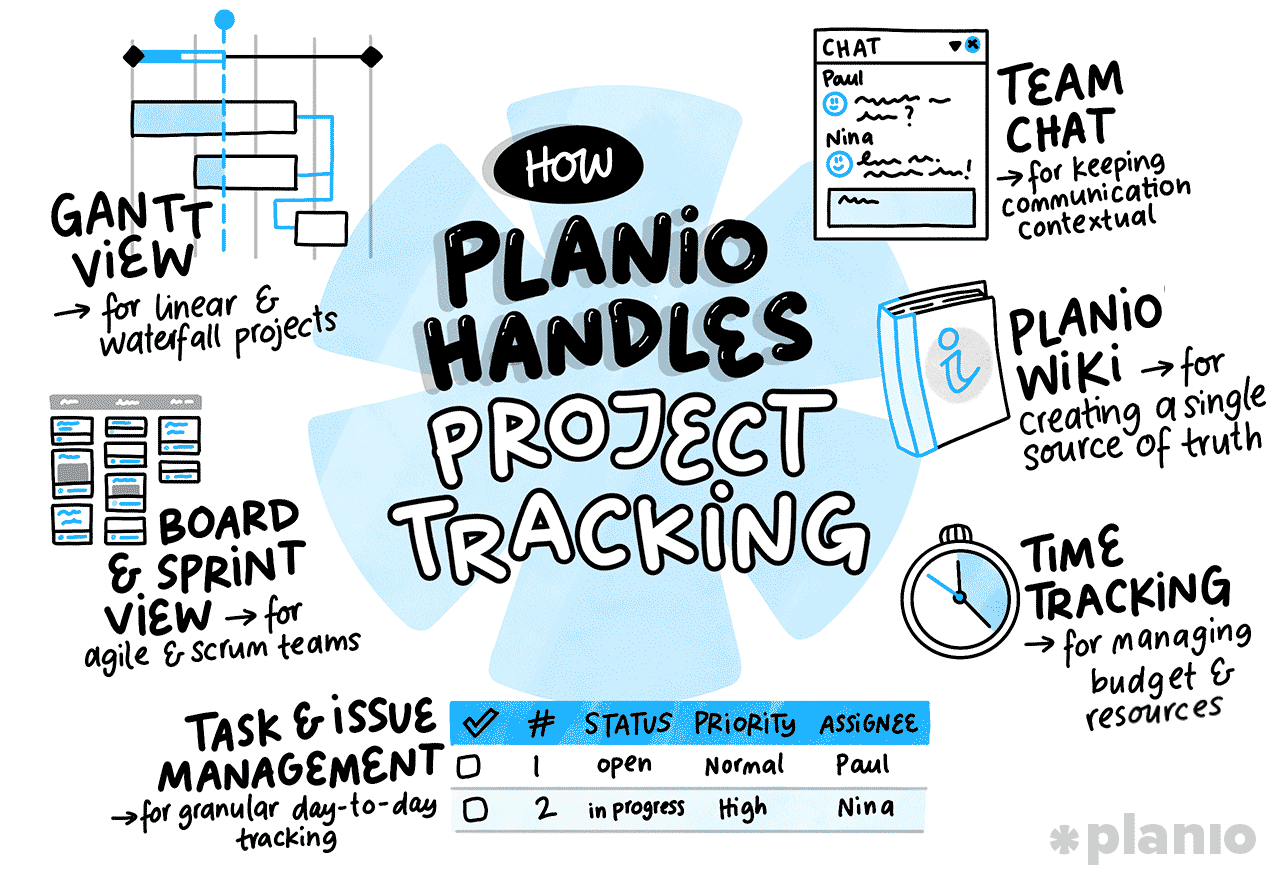
If your team runs on Agile, the Planio board view makes sprint planning incredibly easy. You can drag tasks from your backlog into active sprints, update statuses by moving cards across columns, and generate instant burndown charts to track your team’s velocity.
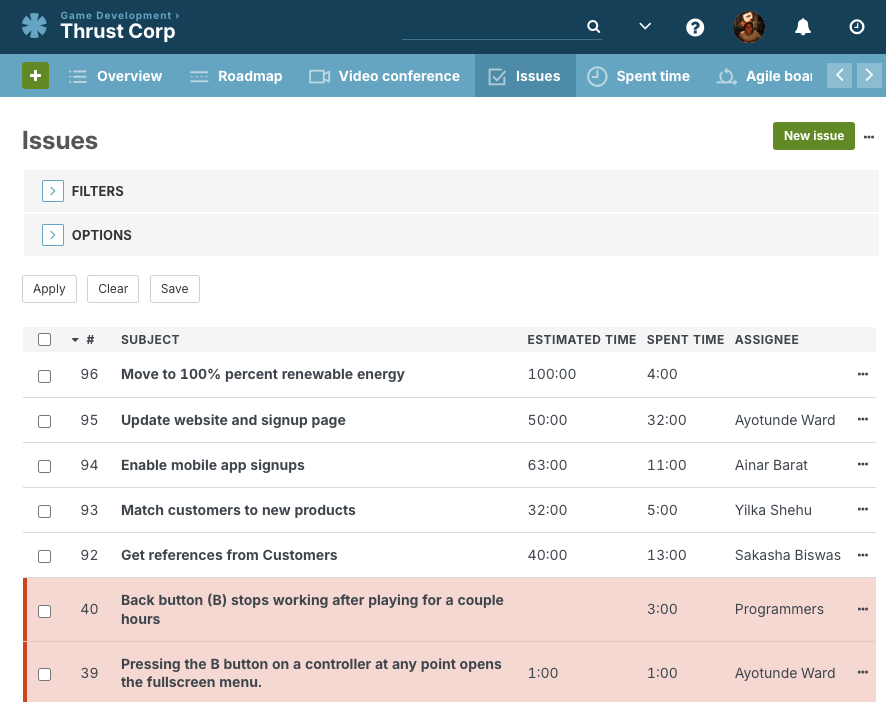
Task and issue management features
Best for: Granular day-to-day tracking.
Our issue tracking is highly customizable. You can set up role and permission-based workflows, meaning a task can automatically shift from a Developer to a Tester once the code is committed. It syncs everyone’s work seamlessly.
Team Chat
Best for: Keeping communication contextual.
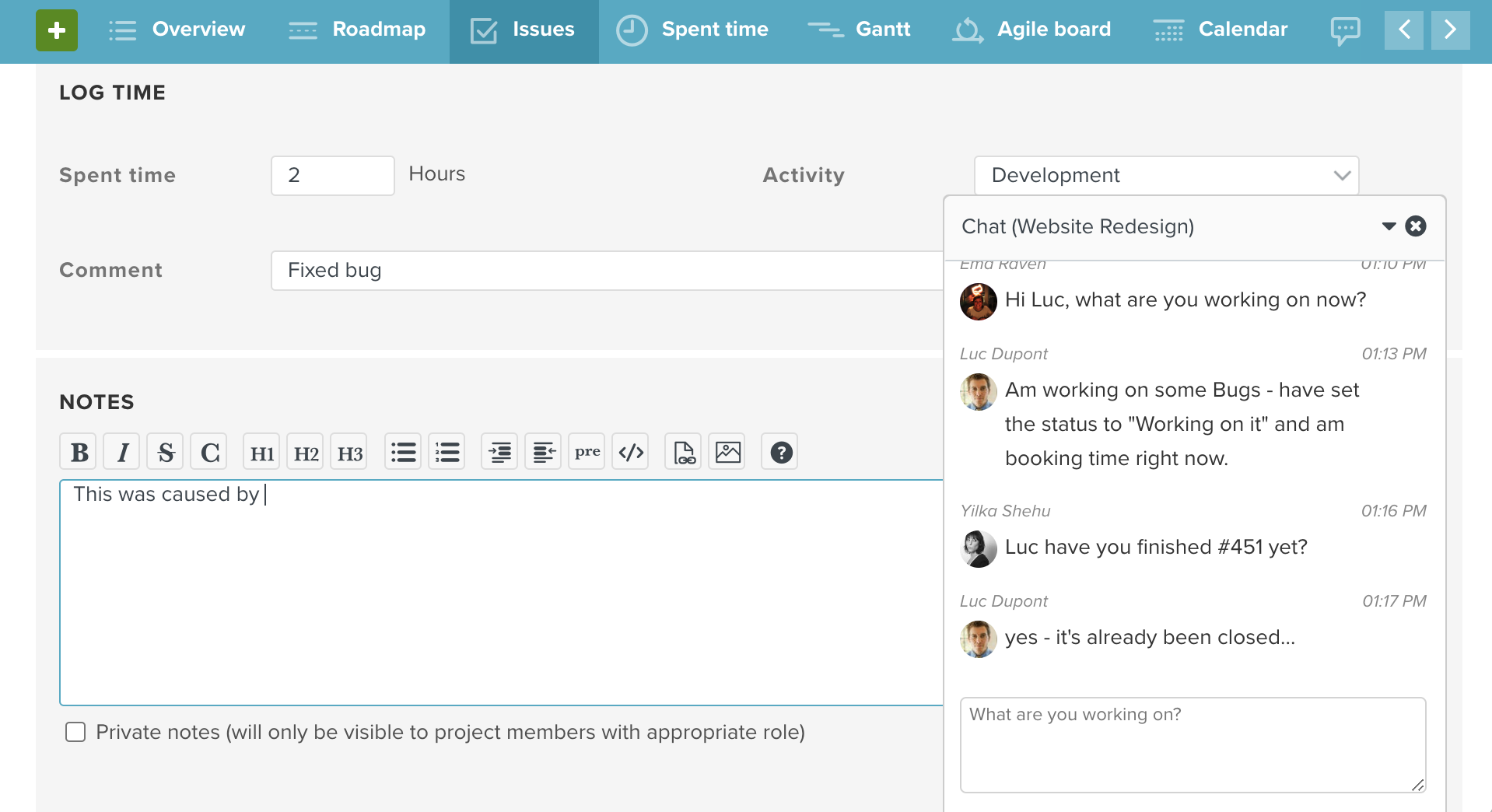
Instead of jumping between a tracker and a separate chat app, Planio brings Team Chat right into your workspace. You can reference specific issues directly in the chat, keeping all project conversations tied directly to the work itself.
Planio Wiki
Best for: Creating a single source of truth.
The Planio Wiki is where your project charters, process maps, and meeting notes live. It prevents crucial information from getting buried in email chains, giving your team a constantly updated, searchable knowledge base.
Time Tracking
Best for: Managing budgets and resources.
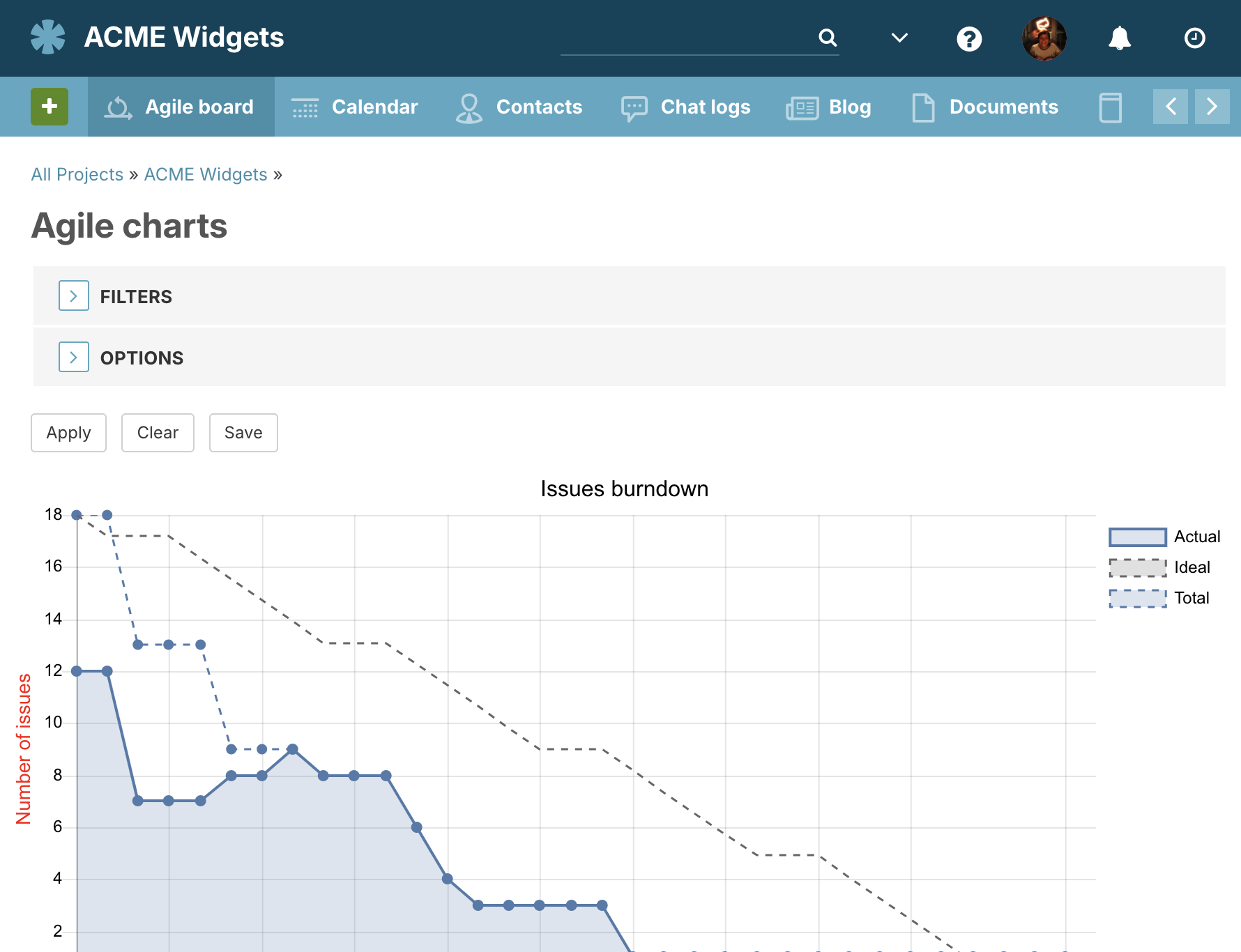
Built-in time tracking syncs your data perfectly with your tasks. Team members can start a timer right from an issue, allowing you to easily generate reports and see exactly where your project budget is being spent.
5 best practices for effective project tracking
Whether you’re setting up a brand-new tracker or trying to fix a broken one, keep these best practices in mind:
- Choose the right tool. Don’t force a complex enterprise tool onto a simple project, and don’t try to run a massive software launch out of a spreadsheet. Pick a tool that matches your project’s complexity.
- Automate the busywork. Use workflows and automation to handle repetitive tasks, like assigning task owners or generating reports. This will free you up to dive into project tracking issues with your team.
- Keep it current. An outdated tracker is worse than no tracker, as you’ll spend time chasing down updates and recovering incorrect information. Build habits to keep your statuses and timelines updated every single day.
- Talk it out. Meet regularly (like in a daily standup) to discuss potential issues and roadblocks. The tracker highlights the problem, but human conversation solves it. Use your tracker to empower the team and overcome obstacles.
- Celebrate the wins. Use your project tracker to highlight when milestones are crushed and goals are met. A little recognition goes a long way for team morale and helps reinforce the value of project tracking admin.
Final thoughts: Visibility is every project manager’s greatest asset
Project tracking is a balancing act. You need to maintain your 100-foot view while still being able to zoom in on the day-to-day details to check that everything is running as intended. In the heat of delivery, it’s easy to lose discipline and be out of date before you know it. Getting the right tools and frameworks in place is essential for success. Planio acts as your co-pilot through the entire tracking process, combining flexible task boards, powerful issue tracking, and integrated communication, to give you and your team the exact visibility you need to thrive.
Ready to get your projects back on track? Try Planio for free today and see the difference a real project tracker makes.