Jory MacKay on July 08, 2026
 How to properly define roles and responsibilities on your team

We’ve all kicked off a project with a clear plan in place only to see it quickly drift into the unknown. Team members suddenly realize they’ve been doing double-work, milestones get missed due to a lack of clarity on expectations… The list goes on.
When projects fail, it’s easy to blame the budget or timelines. But more often than not, the root cause is far simpler: a lack of clear roles and responsibilities.
When team members aren’t 100% clear on what they are and aren’t responsible for, projects inevitably grind to a halt.
While it can feel like the basics, clear roles and responsibilities are the foundation of great projects. In this article, we’ll dive deep into the warning signs that yours aren’t quite right and arm you with a step-by-step guide to nail roles and responsibilities once and for all.
Jump to a section:
What are roles and responsibilities?
Roles and responsibilities refer to the title (e.g., project manager) and the associated responsibilities (e.g., managing a budget) assigned to each member of a team. Together, they create clarity and accountability, ensuring everyone understands their duties and what is expected of them.
Let’s break each part down in a little more detail to bring it to life:
The role is the hat a person wears. It’s their job title or their function within the organization. At a high level, it signifies their primary area of expertise and level of authority.
Examples include “Project Manager”, “Software Developer”, or “Head of IT”.
The responsibilities are the specific tasks, decisions, and outcomes that the person undertaking that role is accountable for delivering. By extension, these also indicate what they’re not responsible for and where their boundary of authority ends.
Examples include “managing project budgets”, “mentoring junior developers”, or “signing off on the solution architecture”.
One of the easiest examples is in a professional kitchen:
- The person with the role of “Head Chef” is responsible for approving the menu, tasting the sauces, and providing orders to line cooks.
- If the “Head Chef” starts taking dishes to tables or the “Sous Chef” changes the menu without asking, the kitchen falls into chaos.
In most organizations, you’ll see roles and responsibilities presented in a RACI chart (Responsible, Accountable, Consulted, and Informed) that makes them easy to present and communicate across teams — we’ll dive into those in more detail later on.
Why are roles and responsibilities so important?
In projects, it’s best practice to define roles and responsibilities upfront. Every industry, company, and team does things slightly differently, so if you rely on assumed knowledge everyone’s starting from a different place.
In the worst situations, this creates the bystander effect — where everyone assumes someone else is handling a critical task.
But getting roles and responsibilities right isn’t just about avoiding disaster. Clearly defining roles and responsibilities brings additional benefits, including:
- Increased productivity. When people know exactly what to do, they spend less time asking, “What should I work on?” and more time doing it.
- The right mix of people and skills. By mapping responsibilities first, you ensure you actually have the skills to do the work, preventing mid-project resource constraints.
- Faster team development. For new teams, leaders want to get them to the performing stage as fast as possible. Clear roles and responsibilities help teams move through the stages of team development faster, with clear boundaries on who does what and how it all fits together.
- Higher levels of accountability. With clear ownership and empowerment for the right members of the team, “We need to fix this” quickly falls away.
- Less duplication. Clarity of responsibility eliminates the frustration of two people spending a week working on the same task. This makes you more efficient, reduces duplication, and is more cost-effective.
- Faster decision-making. Clear roles and responsibilities combat analysis paralysis as the right people are empowered to sign off on decisions that keep projects moving forward.
- Better communication and teamwork. Team members know exactly who to ask for what, facilitating more effective communication and a stronger sense of teamwork.
- Attracts stronger candidates. When hiring, this level of detail shows candidates you are organized and sets the expectations upfront to ensure that everyone is on the same page.
- Highlights potential social loafing. Clear responsibilities make it harder for underperformers to “hide” in the group, ensuring everyone pulls their weight.
- Reduces conflict. A huge amount of workplace friction comes from stepping on toes. Clear roles and responsibilities keep everyone in their lane, reducing the chance of turf wars that cause project conflict.
Arguably most important of all, clearly defined roles boost team motivation by giving everyone a sense of psychological safety as they know what success looks like and how they can achieve it.
How to know if you have a roles and responsibilities issue
Issues that arise from poor roles and responsibilities often creep up slowly. By the time you notice them, they can be deeply ingrained in your process, strategy, and working style.
Catching these problems early on is the best way to handle them with minimal long-term impact. Here are some of the early warning signs to look out for:
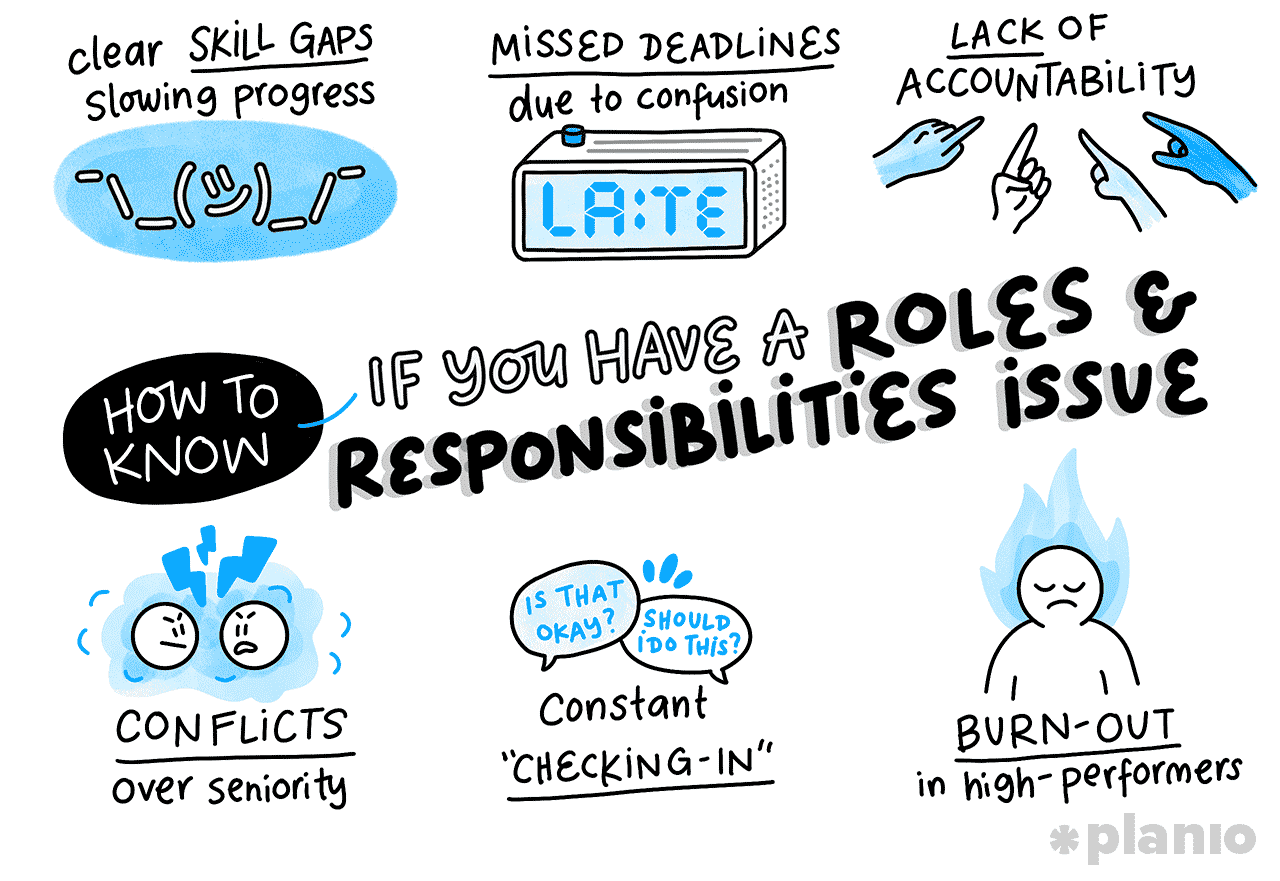
- Clear skill gaps slowing progress. You keep hitting roadblocks because nobody knows how to do something, even though you have a full team. This means you have a gap that needs fixing.
- Missed deadlines due to confusion. If the classic “Oh, I thought you were doing that” statement keeps coming out, there’s a strong chance your roles and responsibilities aren’t clear.
- Lack of accountability. When things go wrong, your team engages in finger-pointing rather than problem-solving. In this situation, team members don’t have clear accountability and trust, which typically arises from ambiguity.
- Conflicts over seniority. If team members are arguing over who gets to make the final call on a decision, your responsibilities aren’t clear.
- Constant “Checking In”. If your team is constantly asking you for permission to do minor tasks, it means they don’t understand the boundaries of their own authority.
- Burnout in high performers. If you have one or two “heroes” who are doing everything, there’s a wider problem around responsibility and accountability in your team.
How to define team roles and responsibilities
Now that we’ve identified the problem, it’s time to fix it.
While it might be tempting to sit in your office, write up a bunch of job descriptions, and email them out, we’d recommend taking a more collaborative approach.
If you impose responsibilities top-down, you risk disengagement.
Here is a step-by-step workflow you can use to reset your project team’s roles and responsibilities to set you up for success!
1. Set the stage with project objectives and lessons learned
Before you start thinking about people, you need to get clear on the work. After all, you can’t assign responsibilities if you don’t know what the project needs to achieve.
Start by gathering the team and reviewing the project scope and objectives to understand what sort of work you’ll need to undertake. If you’ve worked together on a similar project before, run a quick "mini-retro" on the previous tasks you completed.
- Create a scope document. A statement of work describes exactly what the project team will be doing. This helps everyone visualize the necessary work and sets the foundations for roles and responsibilities.
- Review historical data. Reviewing any past project closure reports or lessons learned can provide valuable inputs into the work that’s needed and mistakes that you can avoid this time around.
If you impose responsibilities top-down, you risk disengagement.
2. Match the work to responsibilities
Where many teams go wrong is jumping straight to defining roles. Instead, start with the duties, skills, and expertise you’ll need to do the work you’ve identified.
Think about the work that needs to be actually done (e.g., writing software code) as well as the four functions of management that sit over the top — planning, organizing, leading, and controlling (e.g., managing a project budget).
- Use planning tools like CPM. To help you understand the work to be done, use a planning tool like the critical path method to create a work breakdown structure. This will draw out all the tasks to be done to add to your responsibilities list.
- Don’t forget the “unseen” work. With the tasks identified, list the unseen work that ensures these things happen on time and to plan. These include things like managing stakeholders, mentoring juniors, making decisions, project status reporting, and solving escalations.
3. Map the responsibilities to roles
This is the really fun part to do collaboratively. Take each of the responsibilities you’ve identified and ask the team to grab sticky notes and match them to roles within the team.
If you’re working in an established team, there’s a good chance they will already have role titles, but if not, you can match them to new role titles if you wish (but it’s always best to use well-known titles if you can).
Doing it this way can be enlightening as you will immediately see where the team’s perception differs from yours.
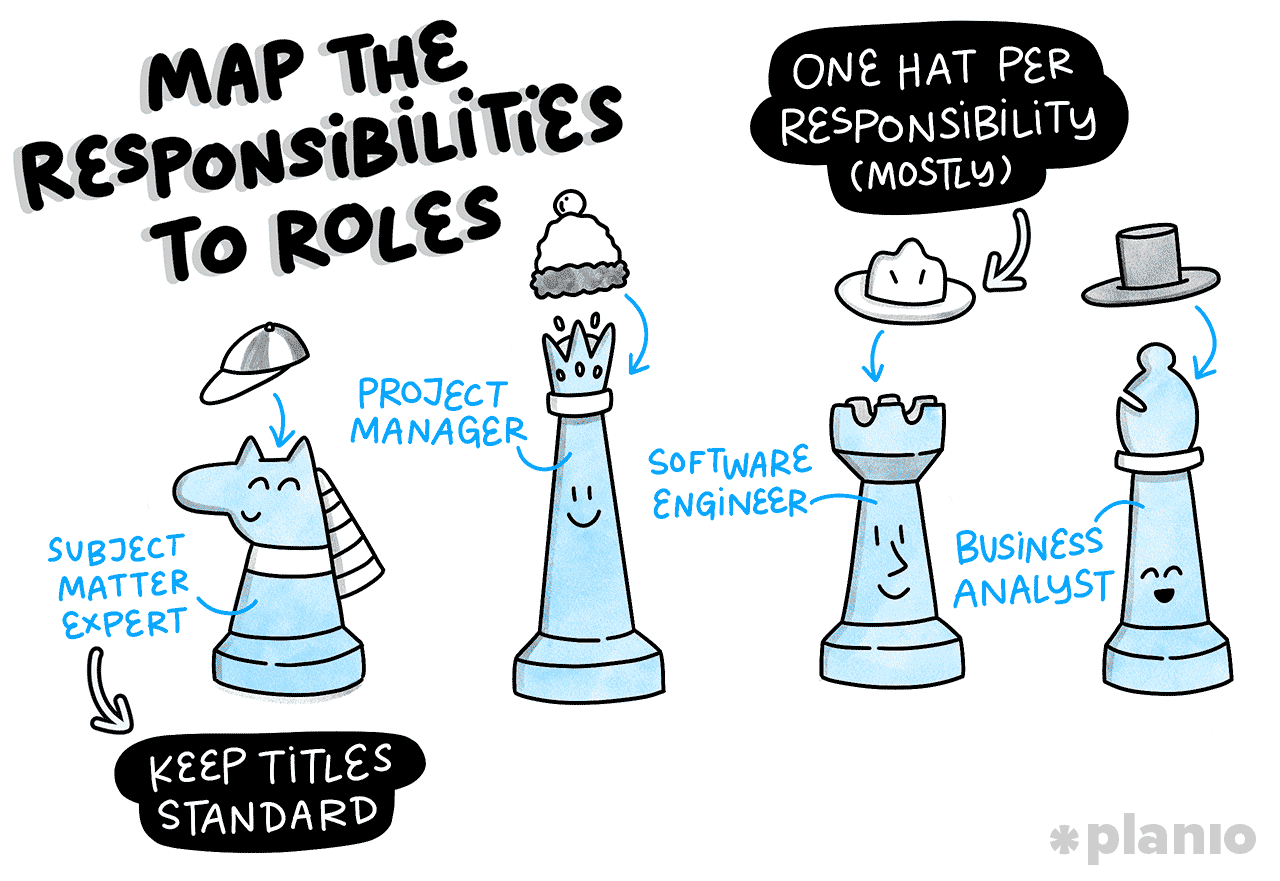
- Keep titles standard. Try to use standard industry titles (e.g., “Product Owner” rather than “Value Ninja”) to avoid confusion both within the team and when you come to communicate with external stakeholders.
- One hat per responsibility (mostly). While responsibilities can be shared, try to avoid assigning responsibilities to too many people. This will only create confusion, finger-pointing, and inefficiency in the team.
4. Align the drafted responsibilities with each person
Now that you’ve matched the roles and responsibilities, it’s time to do a sense check and calibration. With each person assigned to a role, check that the level of responsibilities feels right.
If one person is overloaded with responsibilities, they’ll quickly burn out. Look for opportunities to move some of the sticky notes around or hire more help.
- Watch for role creep. Make sure that the responsibilities for each role really do align. For example, if your designer seems to be responsible for “updating the Jira board,” something’s probably not right.
- Remember the “Bus Factor”. Identify responsibilities that only one person can do. If that person gets hit by a bus (or wins the lottery), is the project in trouble? If yes, add some contingency with responsibilities like “training a deputy”.
5. Document roles and responsibilities
Once you’ve refined it, it’s time to get things written down. But please, don’t bury your lovely roles and responsibilities where no one can find them. Instead, make them a living document that anyone in the team can access if they’re not sure.
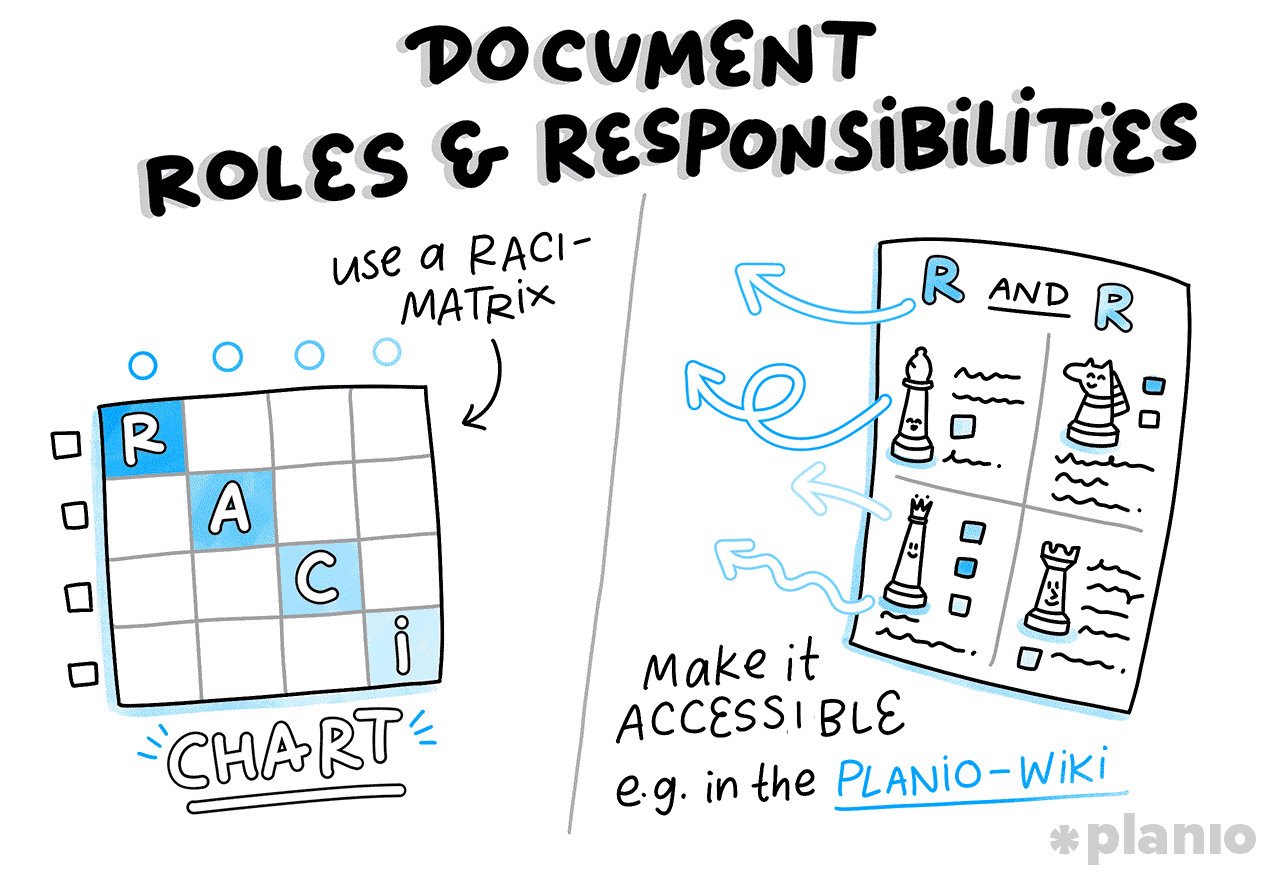
- Use a RACI Matrix. For complex deliverables, map out who is Responsible, Accountable, Consulted, and Informed in a RACI chart. This is an industry format that most project teams will be used to.
- Make it accessible. Put the link to the R&R document in your team’s shared drive, project charter, the appendix of your project updates, and onboarding checklist to ensure it’s regularly accessible when it needs referencing.
How Planio helps: When it comes to documenting and sharing your roles and responsibilities, tools like Planio really shine.
Use the Planio Workflow Management tools to assign clear ownership for every task. This helps everyone understand their responsibilities, gives managers a clear overview of who’s doing what, and makes it easier to track progress and accountability. Combined with system-wide permissions, you can ensure only the right people have access to the right actions.
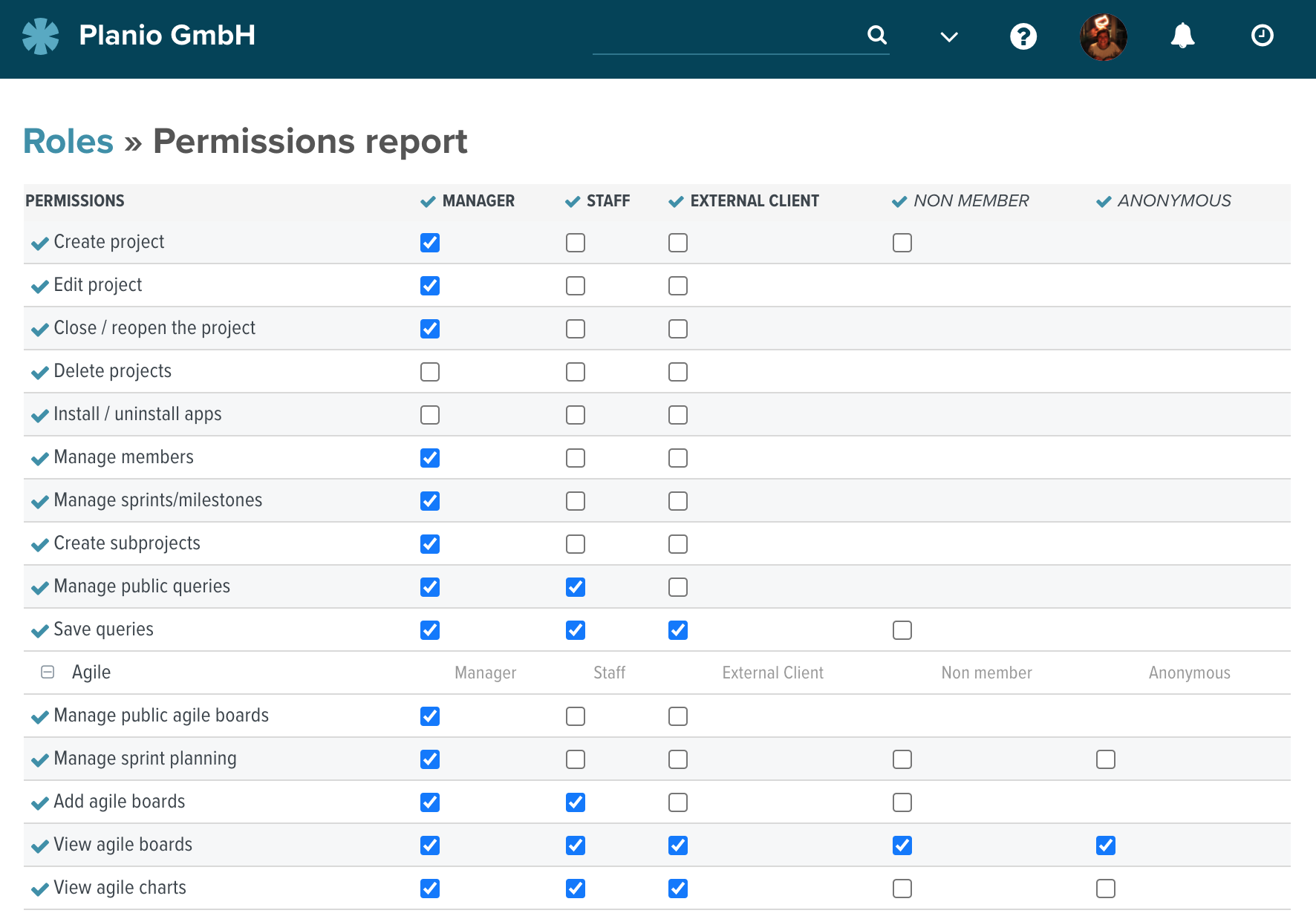
Then, you can use the Planio Wiki to create a central "Team Charter" page where you can list the roles and agreed responsibilities.
6. Monitor expectations vs. reality, and adjust
It’s unlikely you’ll get everything right the first time, so keep your eye out for any problems arising across the team. If things aren’t working in practice, revise and iterate your roles and responsibilities until they feel right for your project’s ways of working.
- Use 1-on-1s for feedback. Use one-on-one meetings to get feedback from your team on their new role. Jump back to our warning signs early to keep an eye out for any signs of tension, and encourage honest feedback from the team.
- Run retrospectives. As you move through phases of your project, run regular sprint retrospectives to draw out what’s working well and what isn’t. Check out our Planio guide on Sprint Retrospectives to find out how to run these effectively.
Issues that arise from poor roles and responsibilities creep up slowly and become ingrained in your process, strategy, and working style.
Examples of common roles and responsibilities
Finally, to help bring roles and responsibilities to life, we’ve put together a “cheat sheet” of common project roles. You can use these as a baseline and tweak them to fit your specific project’s needs.
Project sponsor
Role: The person championing the project at the executive level with overall accountability for its success, including realizing the benefit from the investment.
Key responsibilities include:
- Accountable for the project’s success and benefits
- Approving the project budget and high-level scope
- Resolving conflicts that are escalated by the project team
- Aligning the project with the wider business strategy
- Signing off on the final project deliverables
- Championing the project to the board and executives
Project manager
Role: Project managers are the conductors of the orchestra, overseeing the scope, budget, schedule, risks, issues, and more to keep the project moving forward smoothly.
Key responsibilities include:
- Defining and maintaining the project plan and schedule
- Managing risks, issues, and dependencies
- Leading project communication and stakeholder reporting
- Monitoring the budget and resource utilization
- Removing blockers for the delivery team
Software engineer
Role: They’re the builders of the team, working to turn requirements into working reality. You may have equivalent ‘do-er’ roles in other industries too, but software engineers are most popular thanks to the rise of IT project management.
Key responsibilities include:
- Writing clean, scalable, and documented code
- Estimating the effort required for technical tasks
- Peer reviewing code from other engineers
- Flagging technical debt or architectural risks early
- Collaborating with designers to ensure feasibility
Business analyst
Role: Business Analysts are translators, sitting between the business/client and the technical team, ensuring everyone speaks the same language.
Key responsibilities include:
- Gathering and documenting detailed functional requirements
- Mapping out "as-is" and "to-be" business processes
- Writing user stories and acceptance criteria
- Validating that the built solution actually meets the business need
- Facilitating workshops to uncover hidden requirements
Tester (QA)
Role: Testers ensure things work as they’re supposed to, putting themselves in the shoes of the customer or end-user to identify and rectify bugs before a deliverable is released.
Key responsibilities include:
- Creating test plans and test cases based on requirements
- Executing manual and automated tests
- Logging defects with clear reproduction steps
- Verifying fixes once developers have submitted them
- Signing off on the release quality
Subject Matter Expert (SME)
Role: SMEs come in all shapes and sizes. They aren’t usually full-time on the project, but they hold critical knowledge about a sub-domain the project’s working in (e.g., a Head of Compliance, Senior Accountant, HR Lead).
Key responsibilities include:
- Providing specific answers to complex domain questions
- Reviewing requirements for accuracy/compliance
- Participating in User Acceptance Testing (UAT)
- Advising on industry trends or regulations
- Validating that the process changes are actually legal/viable
The bottom line: Teams work better with clear responsibilities
High-performing project teams want to do good work. They don’t want to waste time arguing over who is supposed to update the project plan or write the release notes.
When you take the time to properly define roles and responsibilities, you aren’t just creating paperwork. Instead, you’re providing clarity, removing friction, creating freedom, and empowering people to do their best work.
When it comes to structuring teams to do their best work, Planio is the perfect tool for project teams that want to get things done. With flexible role management, integrated Wikis for documentation, and clear task ownership, it allows you to build a project environment where everyone knows exactly where they stand.
Try Planio with your own team — free for 30 days (no credit card required!)